Quality
Check e-invoices in the Billance app
Check incoming and outgoing e-invoices directly in your invoicing software. The Billance desktop app combines local validation with a check history and recently generated documents. For a quick check without installation, you can also use the free browser validator.
At a glance
- Rule sets
- EN 16931, XRechnung, ZUGFeRD/Factur-X, PEPPOL
- Files
- PDF with embedded XML and pure XML
- Reports
- PDF, HTML and VARL XML
- Free
- Checking is included on the free plan
What validation checks
The check accepts PDF files with embedded e-invoice XML and pure XML files. Format, profile and the matching rule sets — XRechnung, ZUGFeRD/Factur-X, EN 16931 or PEPPOL — are detected automatically, so you do not have to know in advance what you are looking at.
Checking happens on several levels: technical schema rules, profile rules, business rules and calculation rules. On top come value checks for country, tax and unit codes as well as the total relationships between line items, breakdown and final amount.
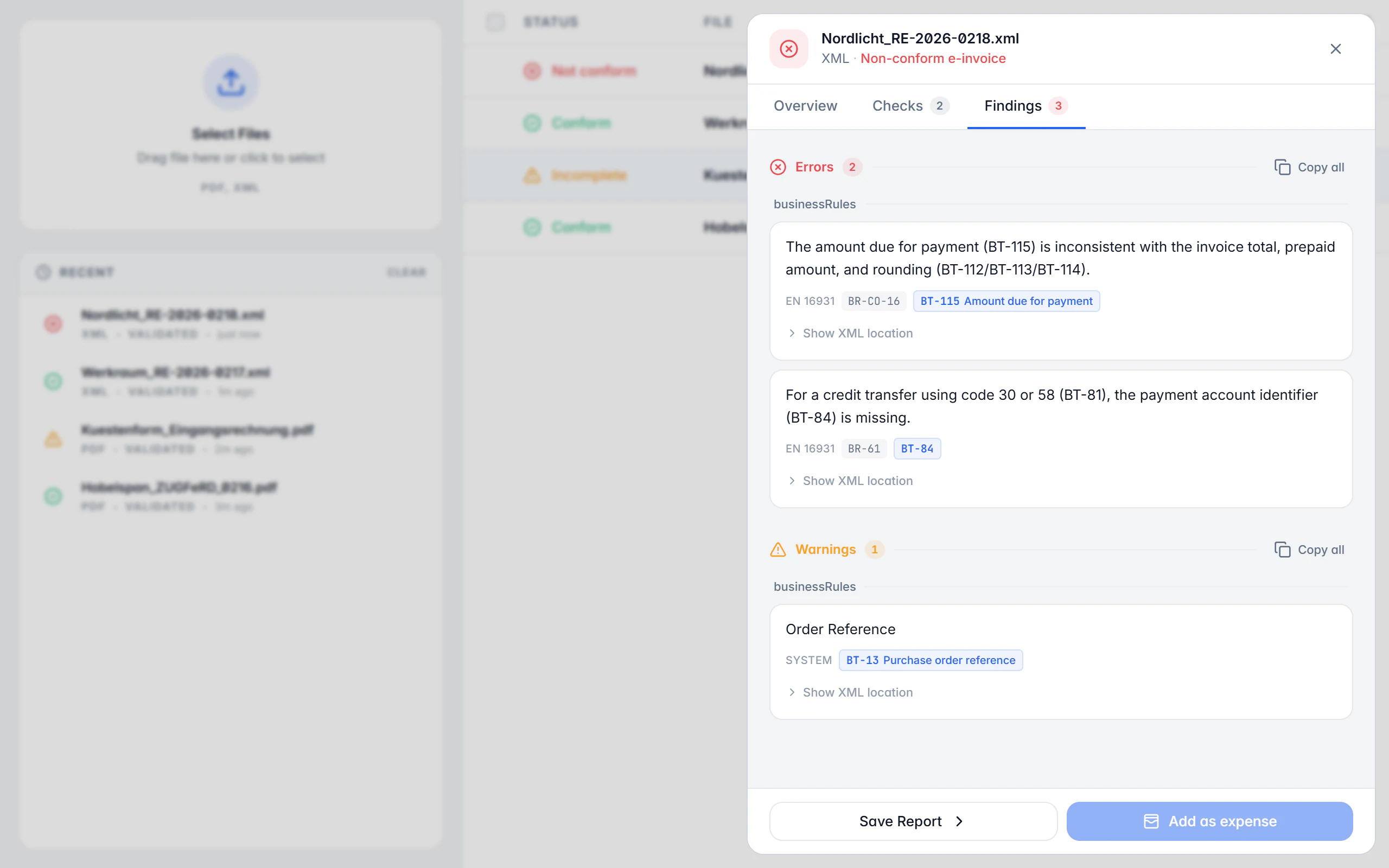
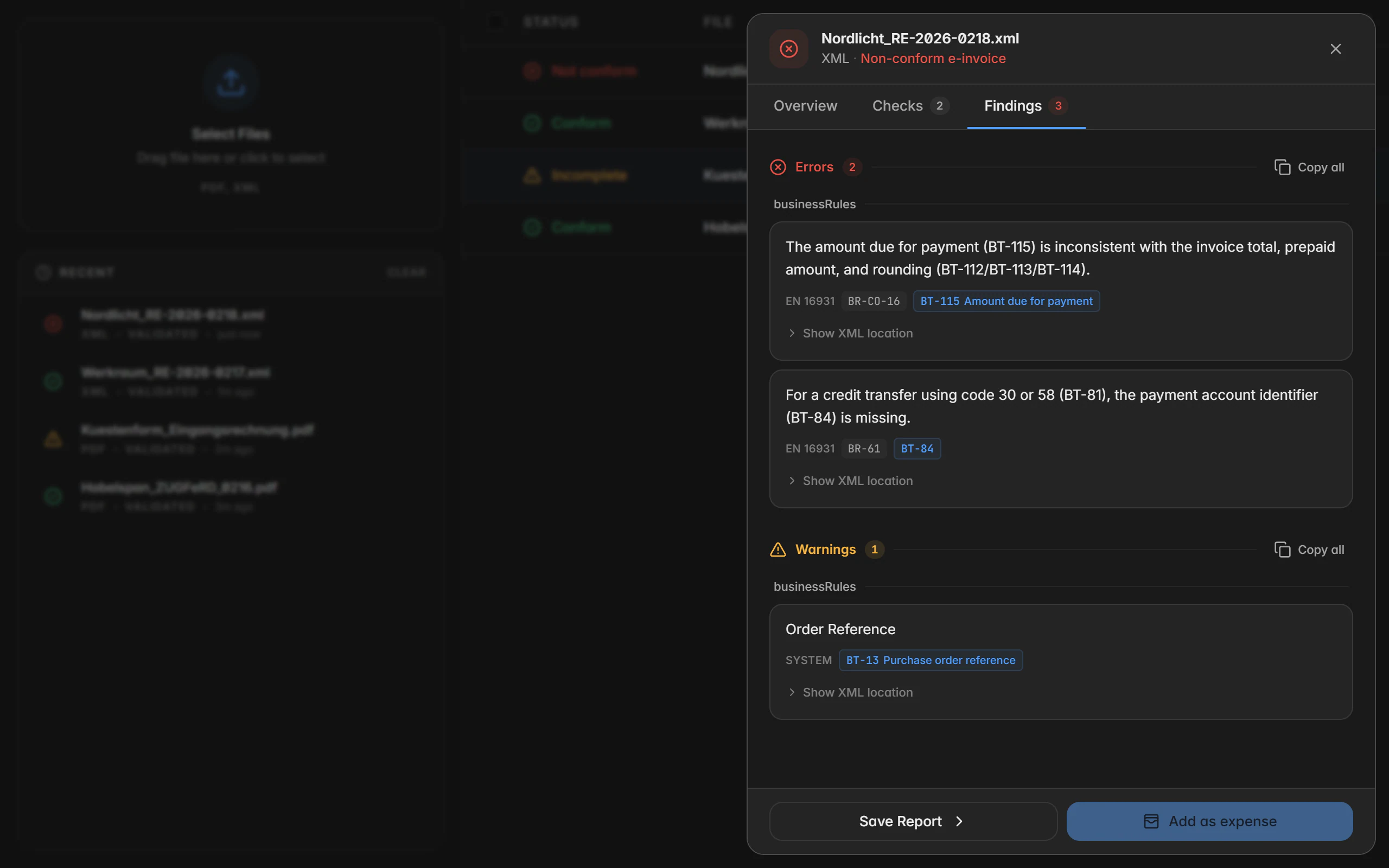
The result is not a blanket “passed” or “failed” but a list of errors, warnings and notes — where available with rule ID, context and XML path, so you actually find the spot in question. What a technical check cannot do is confirm that the transaction is correct in substance and for tax purposes.
Already have invoice XML? Read its contents in the viewer or check the exported file in the browser validator. Both tools process the invoice locally in your browser without installation.
Format reference: KoSIT – XRechnung XML Schema / Schematron
Checking a file
Select the file
Pick a PDF or XML file or drop it in; several files can be prepared together.
Read the invoice
Billance extracts the embedded XML or reads the XML file directly and detects format and profile.
Apply the rule sets
Schema, profile, business and calculation rules run through; code values and total relationships are checked as well.
Read the findings
Review the status, the checks performed and each error, warning and note with rule ID, context and XML path.
Export the report
Export as PDF, HTML or standardised VARL XML when you need to — individually or as a bulk export.
What the check does
Automatic format and profile detection
You do not need to know whether a file is XRechnung, ZUGFeRD, EN 16931 or PEPPOL — Billance detects it and picks the rule sets accordingly.
Four levels of checking
Schema, profile, business rules and calculation rules work together instead of only inspecting the XML structure.
Findings with a location
Rule ID, context and XML path sit on the finding, so you locate the spot in the record instead of guessing.
Code values and totals
Country, tax and unit codes are checked against the permitted lists and total relationships are recalculated.
Error, warning, note
The gradation tells you what an invoice intake will reject and what is merely worth a look.
History and recently generated documents
The local history keeps earlier checks; in the desktop app the documents Billance generated most recently appear there too.
Reports in three formats
PDF for people, HTML for a quick look and standardised VARL XML for further processing.
Multi-selection
Several results can be exported or deleted together; the history can be cleared individually or entirely.
Local instead of upload
The document check runs on your device. Invoice content is not transferred to an external validator for it.
On desktop and in the app
Both applications check locally on your device; only the handling differs.
In the desktop app
Files can be selected or dropped in. Under Recently used you find both the validation history and the documents Billance generated most recently, and multi-selection lets you export or delete several results together.
In the mobile app
In the app you pick one or several PDF or XML files from the file manager. Current and saved results sit in the local history list; opening a result shows overview, checks and findings, while deleting and exporting live in the detail view.
Free or Premium
On the free plan
In the desktop app you validate an unlimited number of files on the free plan too. In the mobile app checking is included on the free plan as well; a daily limit may apply there, and Premium lifts it. In both cases the check runs locally on your device and consumes no AI quota.
With Billance Premium
Premium is needed to export validation reports as PDF, HTML or VARL XML — individually as well as in bulk.
Frequently asked questions about validation
No. The document check runs locally on your device; invoice content is not transferred to an external validator for it.
Read on
Step by step in the help centre
The help articles walk through the same workflow as an instruction – every field, every button, every special case.
Ready for e‑invoices?
Start with Billance and create your first e-invoices in just a few minutes.