Outgoing invoices
Create e-invoices – XRechnung and ZUGFeRD under EN 16931
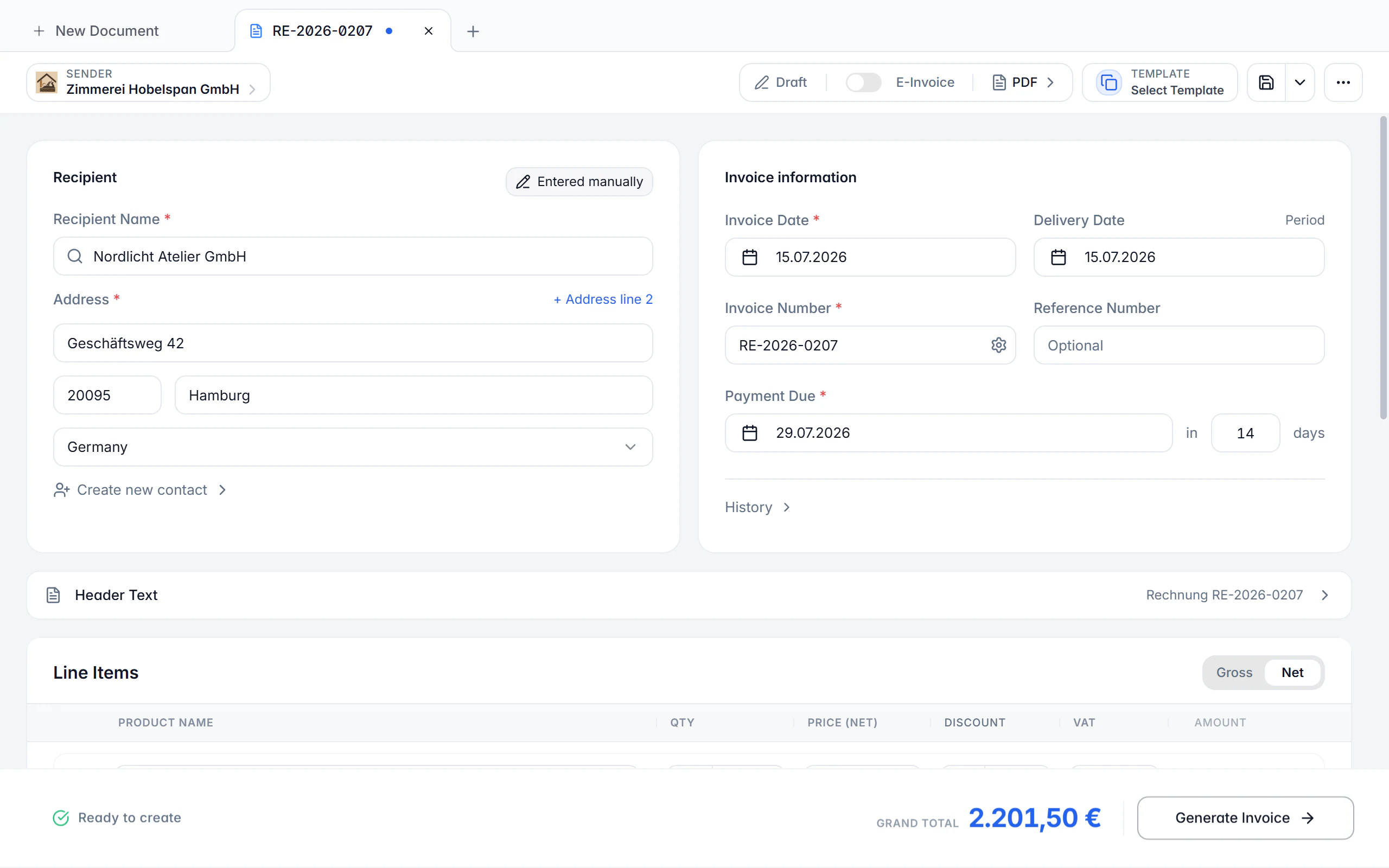
Write structured invoices in the same editor you use for every other document. The mandatory EN 16931 fields are prepared, tax and totals are calculated per line item, and the check runs alongside before you output ZUGFeRD, XRechnung, PEPPOL BIS or a plain PDF.
At a glance
- Standard
- EN 16931
- Formats
- ZUGFeRD, XRechnung, PEPPOL BIS, PDF
- Syntax
- CII and UBL
- Available on
- Desktop app and mobile app
What an e-invoice is in Billance
An e-invoice is not a PDF with a nice layout — it is a structured data record under the European standard EN 16931. Every field has a fixed meaning: the invoice number is BT-1, the due date BT-9, the buyer reference BT-10, so the accounting software on the receiving side can read the invoice without anyone retyping it. Billance produces exactly that record and delivers it either as XML embedded in a readable PDF (ZUGFeRD) or as a pure XML file (XRechnung, PEPPOL BIS).
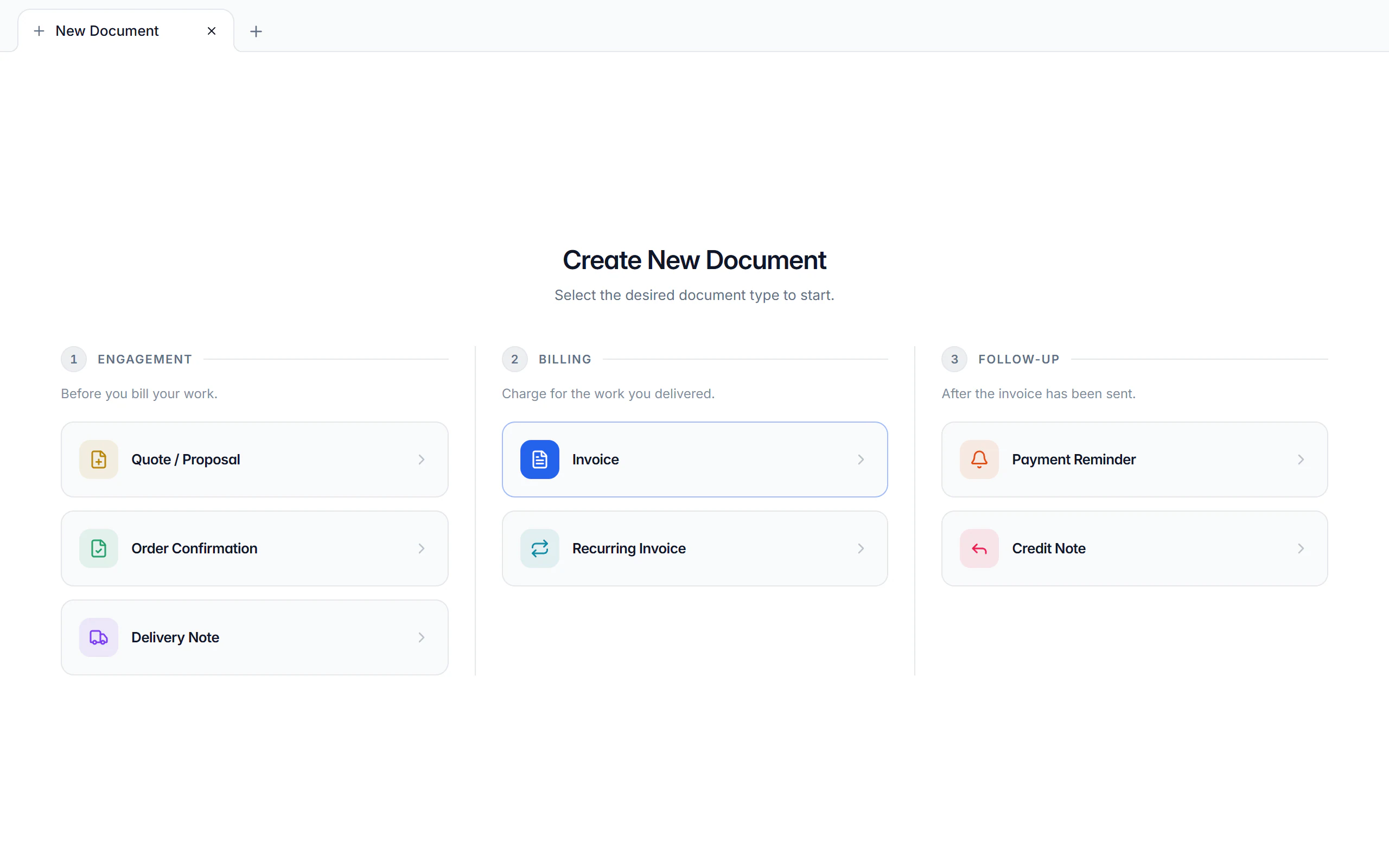
The editor is the same one that produces quotes, order confirmations, delivery notes, recurring invoices, credit notes, cancellations and payment reminders. So you do not switch tools when a quote becomes an invoice: line items, recipient data and references carry over, and the document chain stays visible between the records.
Billance checks along as you type. If the recipient has no electronic address, if an XRechnung is missing its buyer reference, or if a tax category does not match the chosen tax case, the hint sits right at the field — not later, when your customer’s invoice intake rejects the file.
How an e-invoice comes together
Pick the recipient and the template
Saved recipients carry their address, electronic address, buyer reference, tax case, payment method, payment term and design. The default template of the document type prefills subject, introduction and closing text.
Enter the line items
Take products and services from the catalogue or type them in. Quantity, unit with its UN/CEFACT code, unit price, tax rate and tax category produce net, tax and gross per line.
Add payment and reference details
Payment method and account, payment term, discount rate and deadline, amounts already paid, the service period and order, project and contract references all belong in the record in machine-readable form.
Choose the output format
The e-invoice switch decides between a hybrid PDF, a pure XML file and a deliberately unstructured PDF; the format menu picks the profile below that.
Finalize and output
Finalizing locks the invoice number from its number range. The generated file can be opened, shared, printed and validated with the same module that checks incoming e-invoices.
What the invoice editor does
Seven document types share one editor, so most of what is described here for invoices holds for the other documents too.
Mandatory EN 16931 details
Buyer reference (BT-10), Leitweg-ID, electronic addresses of seller and buyer, service date or period and the payment details all have their own fields and are checked before output.
Every common tax case
Standard taxation, the German small business rule under § 19 UStG, reverse charge, intra-community supply and services outside the EU can be mapped with the right identifiers and exemption reasons.
Discounts, prepayments and rounding
Discount rate and deadline are stored machine-readably. Amounts already paid (BT-113) and an explicit rounding amount (BT-114) keep the payable amount correct.
Allowances and charges
Discounts and surcharges can be recorded with reason, percentage and tax category — on a single line item as well as on the whole document.
Defaults per recipient
Output format, tax case, payment method, payment term, language and design can be stored per contact and are preselected for the next document.
Attachments and your own invoice PDF
Proofs and timesheets travel along as attachments. Alternatively an existing PDF can serve as the basis of the invoice — the structured data is then embedded into that document.
Foreign currency and bilingual output
Invoice currency, date format and document language belong to the document, not to the interface: you work in English and still issue a German invoice.
Drafts and the document chain
A document starts as a draft and can be saved as often as you like. Follow-up actions such as credit note, cancellation, reminder or delivery note carry the data over and link predecessor and successor.
Validation before you send
The generated file can be checked against EN 16931, XRechnung, ZUGFeRD/Factur-X and PEPPOL right away — locally on your device, without uploading the invoice.
ZUGFeRD, XRechnung or PEPPOL BIS – which format when?
Billance knows three output kinds: a hybrid PDF with embedded XML, a pure XML file, and a deliberately unstructured PDF. Which one is right is decided by your recipient — for ordinary B2B invoicing, ZUGFeRD EN16931 is the fitting choice.
PDF + XML · ZUGFeRD EN16931
- What it is for
- The standard for most B2B invoices: a readable PDF and structured data in one file, technically CII.
PDF + XML · ZUGFeRD XRechnung
- What it is for
- A hybrid file with XRechnung-style structure — useful when your recipient accepts hybrid files.
PDF + XML · ZUGFeRD Extended
- What it is for
- Special cases that carry additional optional details beyond the core model.
XML only · XRechnung (CII or UBL)
- What it is for
- The typical requirement of German public authorities. The syntax follows the recipient’s specification.
XML only · EN16931 (CII)
- What it is for
- The European core model without XRechnung or PEPPOL specifics.
XML only · PEPPOL BIS (UBL)
- What it is for
- When the recipient explicitly requires PEPPOL or delivery runs through a PEPPOL network.
PDF only
- What it is for
- For VAT purposes an “other invoice” — permitted for example towards consumers, during transition periods or for small-amount invoices.
CII and UBL are two XML syntaxes for the same business content. The choice changes the technical structure of the file, not the invoice itself.
The details an e-invoice must carry
Which fields are mandatory depends on the profile, the tax case, the payment method and the transaction. These are required by practically every structured invoice.
Header data
Invoice number, invoice date, invoice type and currency — plus name and address of seller and buyer.
Seller identifier
At least one permitted tax or legal identifier: tax number, VAT ID or a register entry.
At least one line item
With description, quantity, unit, unit price and tax category — the unit carries the UN/CEFACT code from BT-130.
Totals and tax breakdown
Net, tax, gross and payable amount have to match the breakdown by tax rate; Billance calculates and checks that alongside.
Service date or period
Billance asks for a concrete service date so the form cannot produce an incomplete document.
Payment details
A positive payable amount needs a due date or a payment term; a bank transfer additionally needs a payment account with IBAN, a direct debit a creditor ID and mandate reference.
Profile-specific fields
XRechnung requires the buyer reference and electronic addresses among others, PEPPOL BIS matching endpoints, and a corrective invoice the reference to the preceding invoice.
Billance supports you with mandatory fields and output formats and does not replace tax or legal advice.
Invoicing at the desk and on the move
Both applications write the same record and produce the same files. The difference is how much fits on screen at once.
In the desktop app
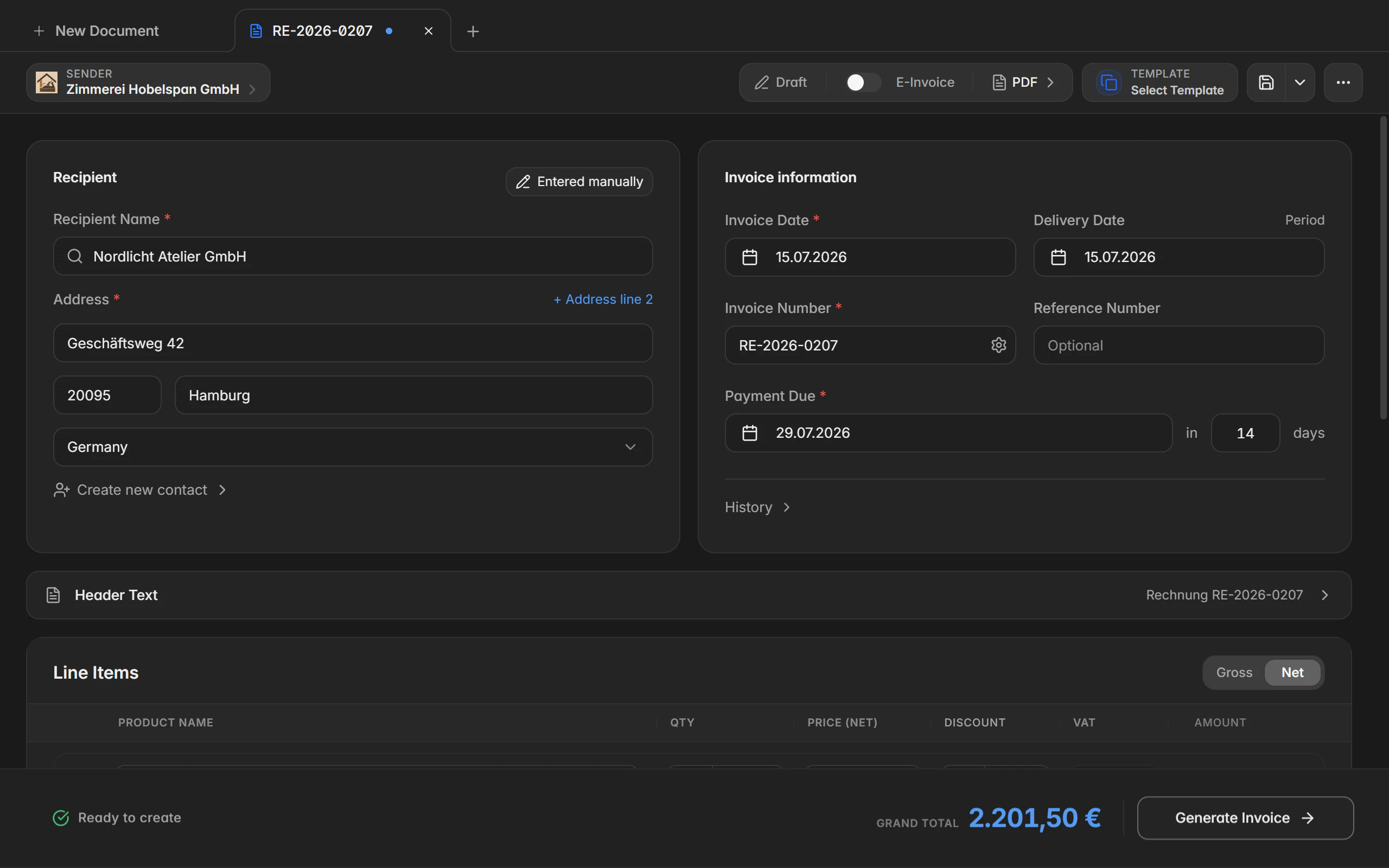
The desktop app keeps several documents open in tabs; a dot on the tab marks unsaved changes. The PDF preview sits next to the form, generated files can be revealed in the file manager or printed directly, and Save, Save as and Save as template live in the tab and document menus.
In the mobile app
In the app you start a document with the plus button in the document list and choose the type. The editor guides you through recipient, line items, texts and payment details in cards and subpages. Finalize, convert, change status, record a payment and share the file live in the document’s action menu; parallel tabs deliberately do not exist there.
Free or Premium
On the free plan
Standard invoices are free forever, and one e-invoice as ZUGFeRD or XRechnung is included every 30 days. One company profile, three recipients and one internal contact are fully usable, as is the built-in system template.
With Billance Premium
Premium lifts the e-invoice limit and unlocks the advanced document types — quote, order confirmation, delivery note, recurring invoice, credit note, cancellation and payment reminder — plus your own templates, your own design, additional company profiles and unlimited recipients.
When a feature hits the free plan’s limit, Billance shows the notice and the way to upgrade — saved data is never lost in the process.
Frequently asked questions about e-invoicing
ZUGFeRD is a hybrid format: a PDF file with the structured XML embedded in it — readable for people and processable by machines. XRechnung is a pure XML file without a visual PDF and the typical requirement of German public authorities. Both are based on EN 16931; Billance produces both.
Read on
Step by step in the help centre
The help articles walk through the same workflow as an instruction – every field, every button, every special case.
Ready for e‑invoices?
Start with Billance and create your first e-invoices in just a few minutes.