Master data
Manage customers, products and company profiles
Good master data is why an invoice takes two minutes. Recipients bring their address, buyer reference and terms, products bring price, tax rate and unit, and the company profile supplies sender, tax details and bank account.
At a glance
- Areas
- Recipients, internal contacts, products, company profiles
- Import
- CSV, Outlook CSV and vCard
- Units
- With UN/CEFACT code (BT-130)
- Available on
- Desktop app and mobile app
What every document lives on
Everything Billance needs more than once lives in the master data, and all master data belongs to a company profile. Switching the profile switches documents, recipients, products, templates and settings with it, so several businesses stay cleanly apart without needing two installations.
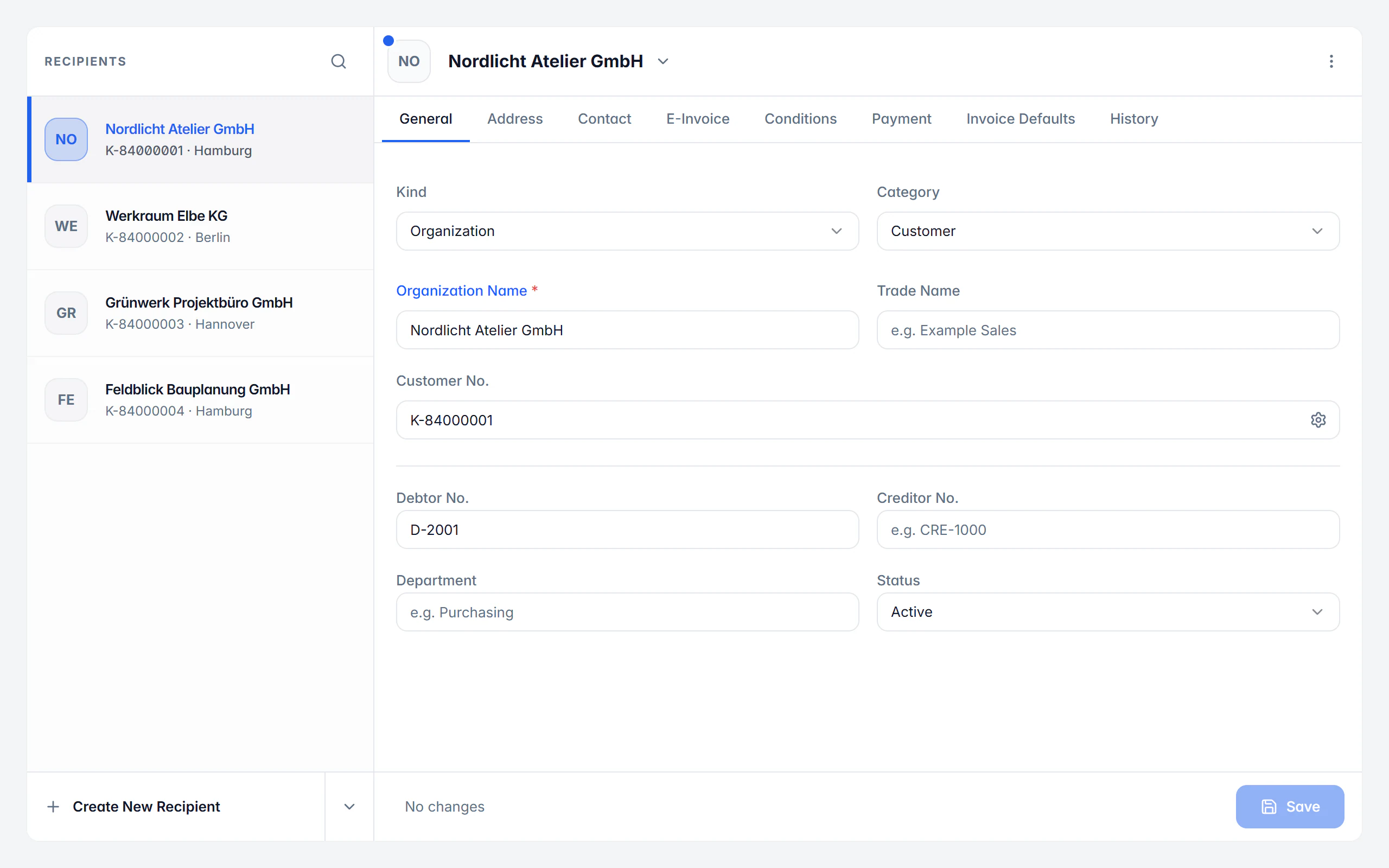
A recipient is more than an address. Customer number and type, billing and delivery address, contact persons with roles, the electronic address, the buyer reference or Leitweg-ID and the order, project and contract references all belong there, as do defaults for language, prices, tax, payment method, payment account, output format and design. Billance also shows which details are still missing for a normal invoice and which for an e-invoice.
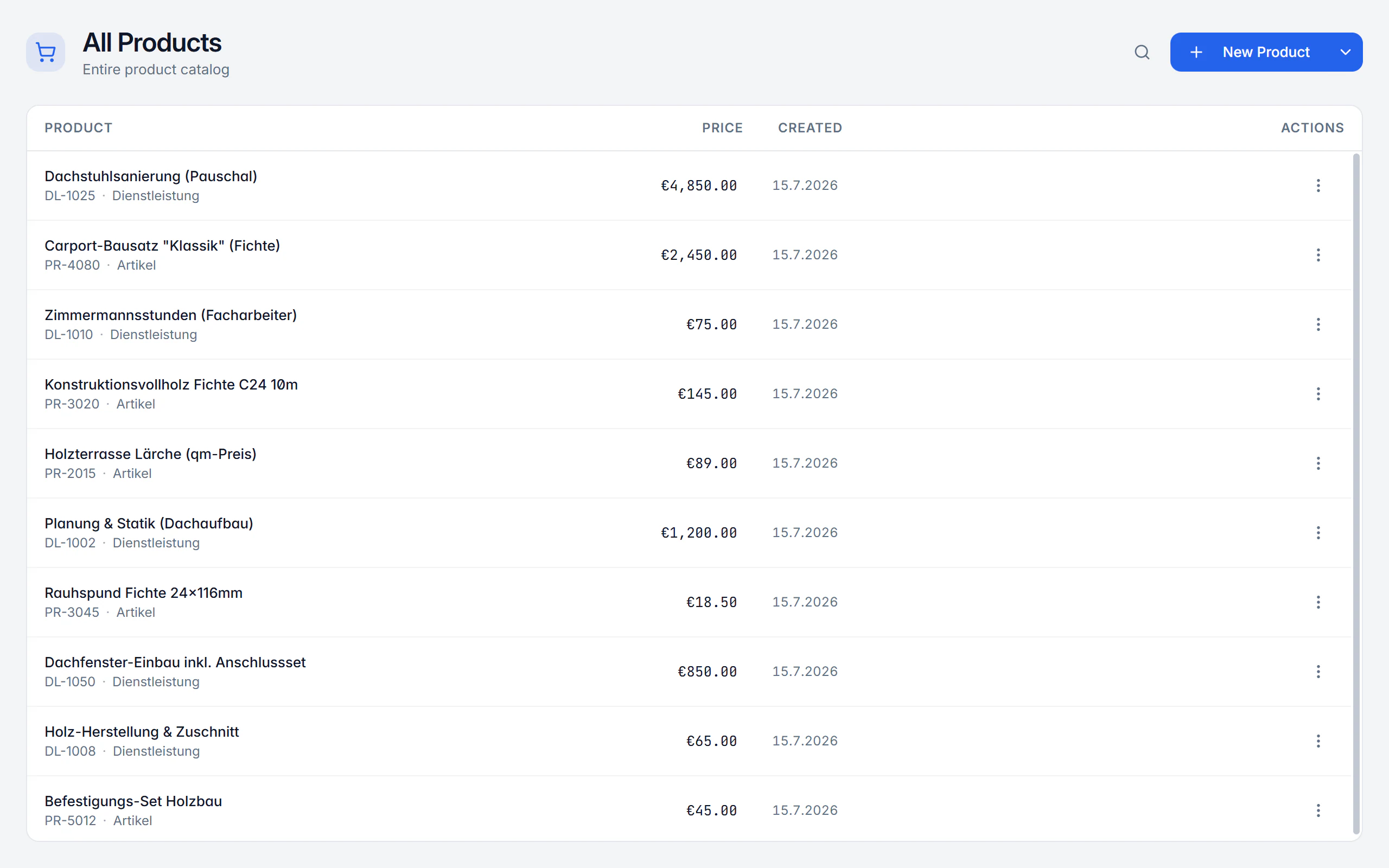
In the product catalogue you create articles and services once and pull them into a document with a click. Every unit carries the identifier matching the UN/CEFACT code from BT-130. That is the only way a line item can be transmitted correctly in an XRechnung or ZUGFeRD invoice.
Setting up your master data
Create the company profile
Company name, legal form, address, electronic address, tax and register details, logo and payment accounts. The active profile is the sender of every invoice.
Define number ranges
Format and next number for invoice, quote, order confirmation, delivery note, credit note, recurring invoice and reminder, plus customer and article numbers.
Maintain recipients
Create addresses, contact persons, buyer reference and terms, or import them from CSV, Outlook CSV or vCard.
Add products
Enter name, price, tax rate, unit and category; the article number comes from the product number range.
Write the document
When creating, the chosen recipient brings their terms along, and products are found through the search in the line item row.
What master data management does
Terms per recipient
Language, price mode, tax treatment, payment method, payment account, payment term, output format and design can be stored per contact and are preselected.
Buyer reference and Leitweg-ID
BT-10 is stored on the recipient and carried into new documents, together with order, project and contract references.
Missing details are flagged
Billance marks which fields are still missing for a normal invoice and which additionally for an e-invoice, before you write the document.
Internal contacts
People in your own company with name, department, role and contact details; a default contact is preferred in documents.
Units under BT-130
Every unit carries its UN/CEFACT code plus singular and plural for the PDF, so you get “1 pack” and “2 packs” instead of “2 pack”.
Categories and dedicated ranges
Articles and services are prepared, custom categories are possible, and each category can get its own product number range.
Import and export
Recipients and internal contacts via CSV, Outlook CSV and vCard, products via CSV, with empty template files for preparing larger data sets.
Several company profiles
Every profile has its own documents, recipients, products, templates, number ranges and settings; switching profile reloads all of it.
History and protection from data loss
For existing recipients the history shows creation and linked documents; unsaved changes are protected when you leave an editor.
Create products and services once
The catalogue keeps name, price, tax rate and unit identical everywhere and makes sure a line item carries the right unit code in an e-invoice.
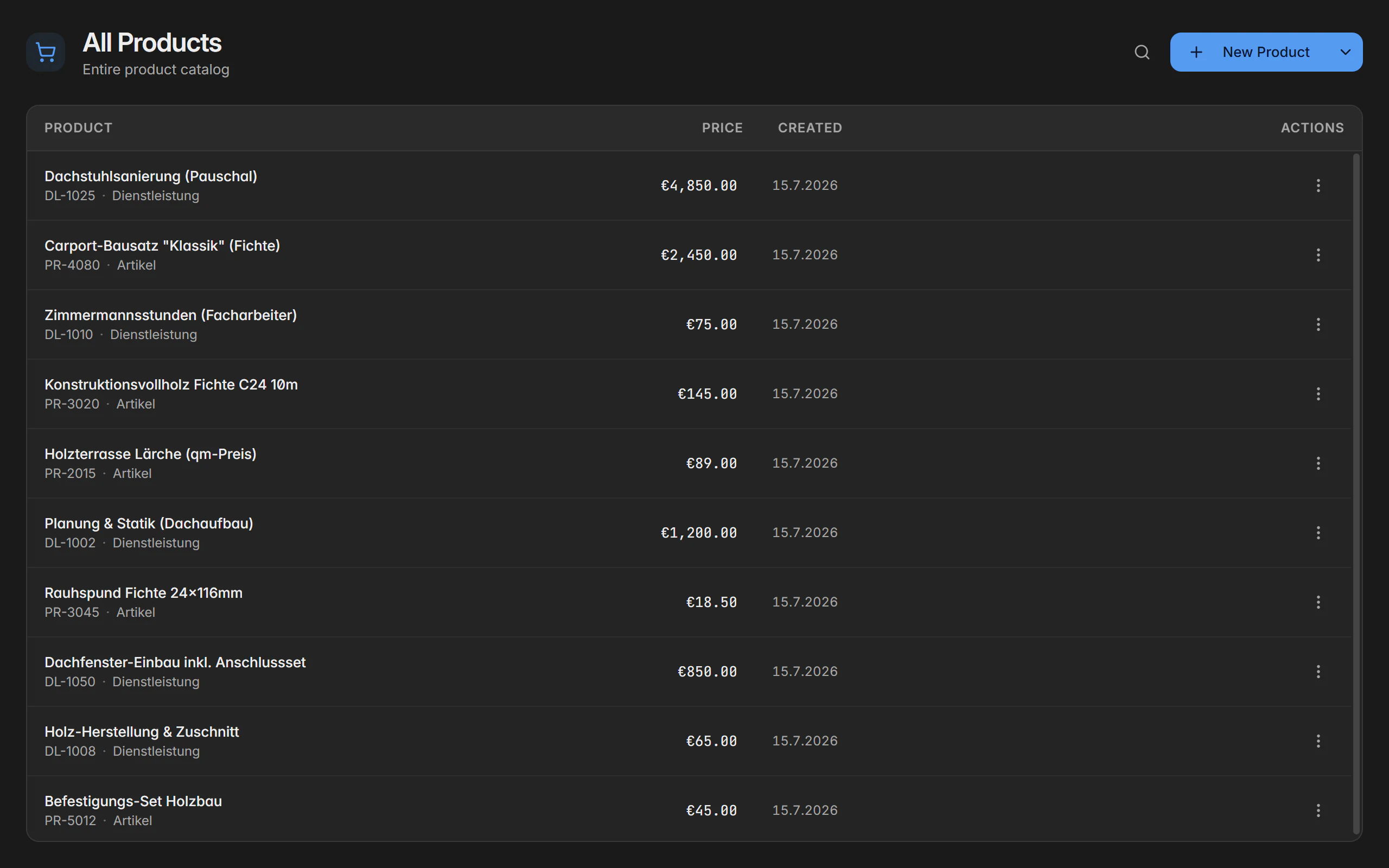
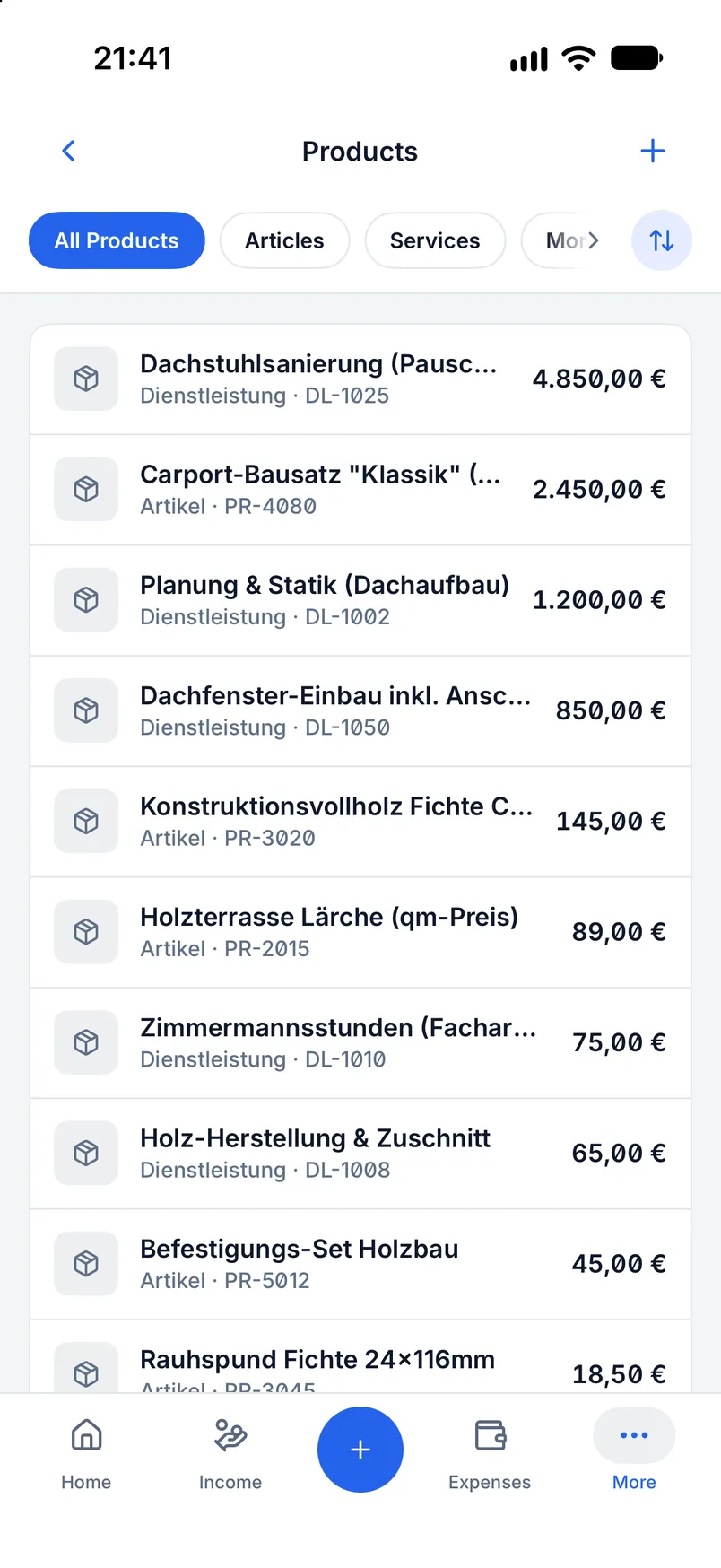
Articles and services
Two default categories are prepared and can be hidden when you do not need them; custom categories can be added.
Automatic article numbers
The number comes from the product number range, either shared across all products or separately per category.
Search in the line item
While writing you find saved products right in the line item and pull price, tax rate and unit in with them.
CSV import and export
An empty template file with the right columns can be generated; on import only valid rows are taken and the count is reported.
My company: the sender of every invoice
The active company profile decides which business new data belongs to and which details end up as the sender on the document.
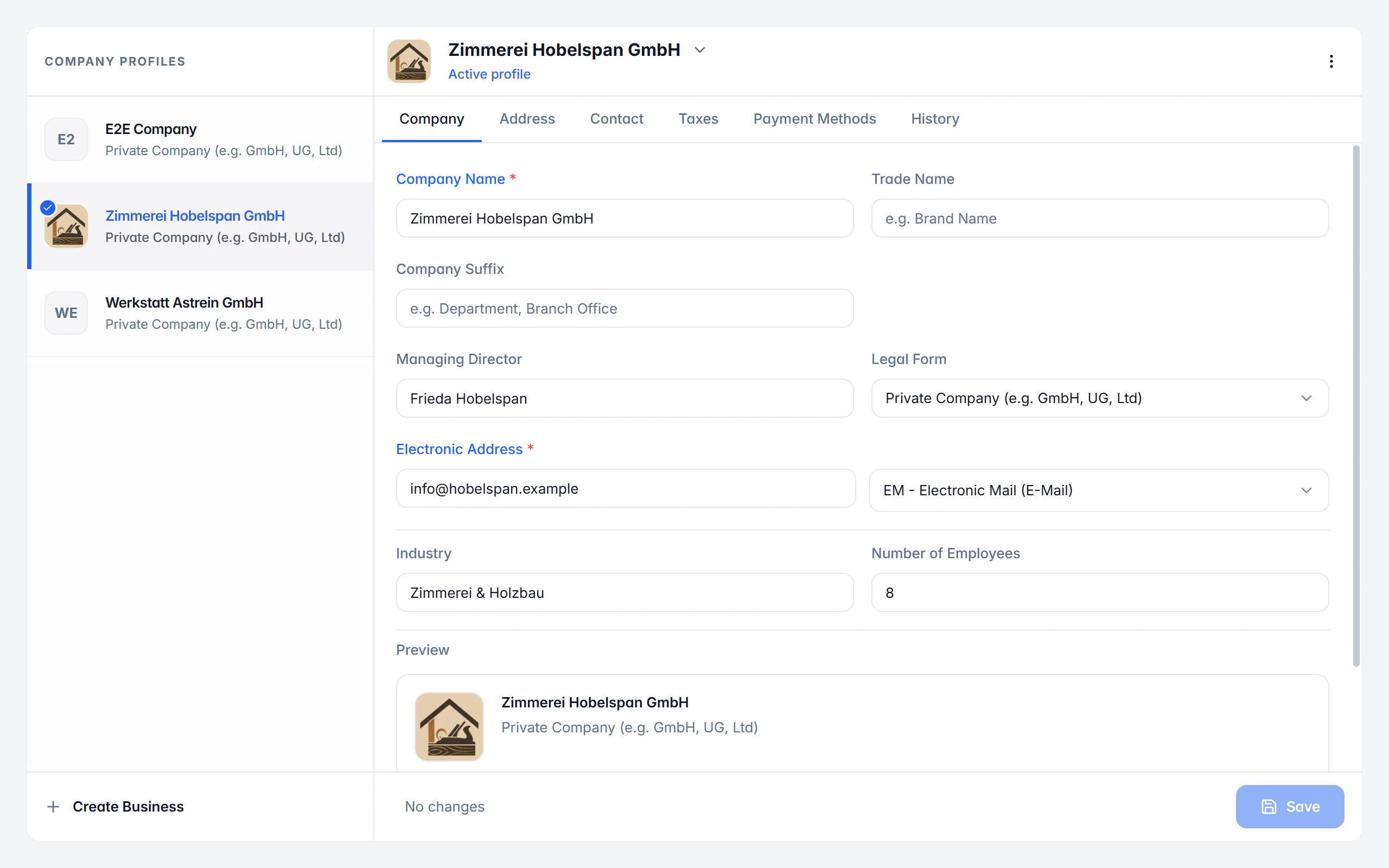
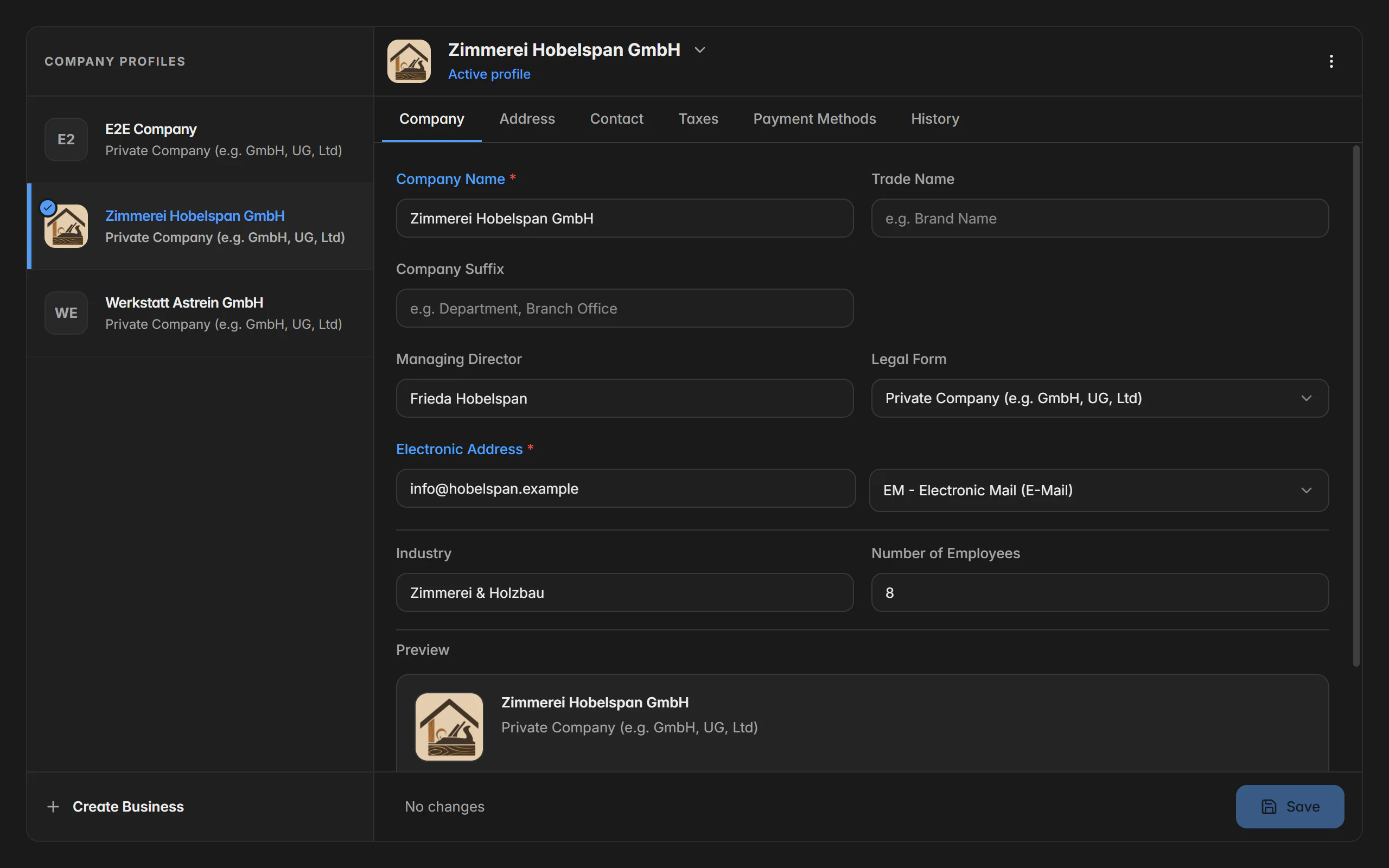
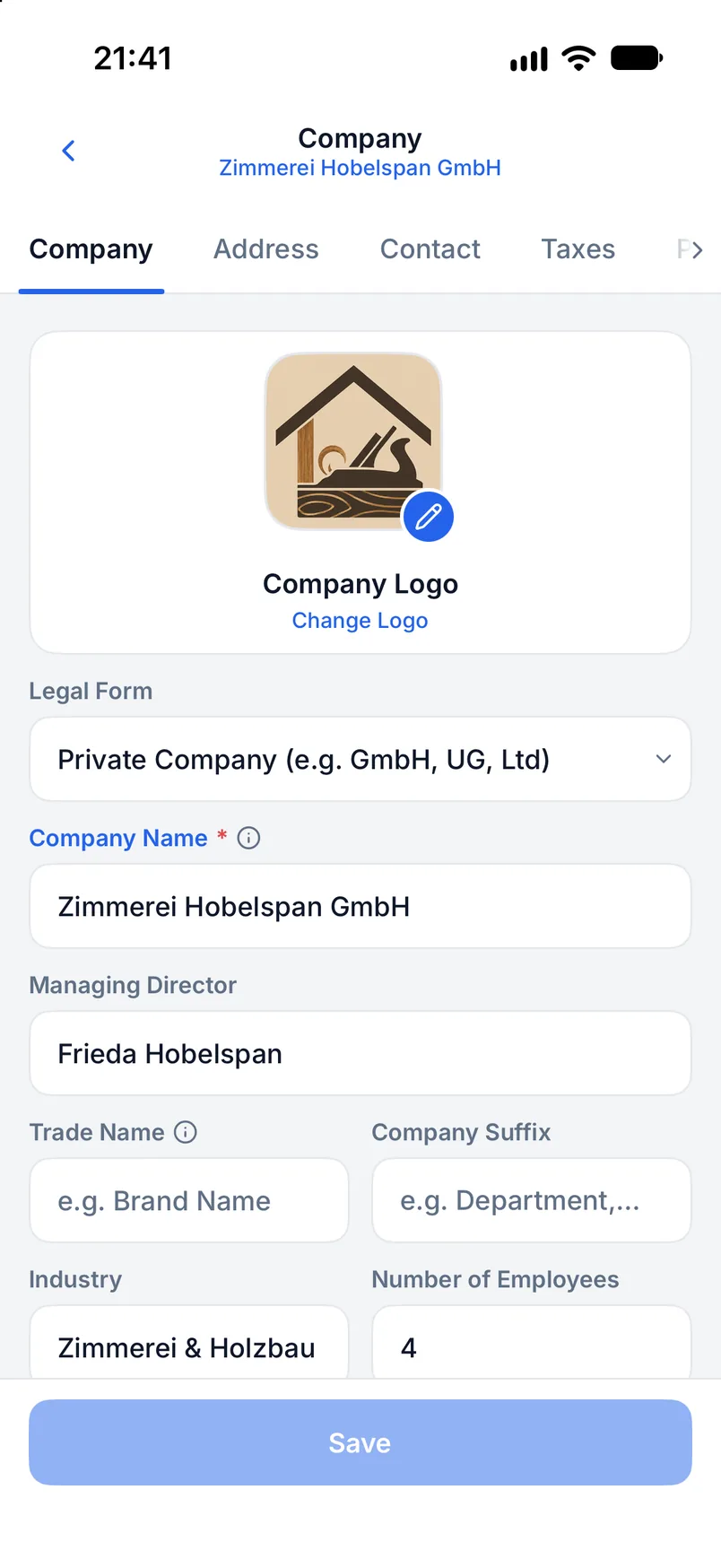
Identity and address
Company name, legal form, owner details, postal address and further address profiles.
Tax and register details
Tax number, VAT ID and register entry. Every structured invoice needs at least one permitted identifier.
Electronic address
The seller’s electronic address including its scheme is one of the mandatory details of an XRechnung.
Logo and payment accounts
Logo, website and bank accounts; linked payment accounts stay in sync with the profile.
One company profile is fully usable on the free plan. Further profiles are Premium and stay saved but locked after a downgrade.
Number ranges for documents, customers and articles
The invoice number is a legally mandatory detail, has to be unique and sequential, and sits in an e-invoice as BT-1. Every document type therefore has its own number range.
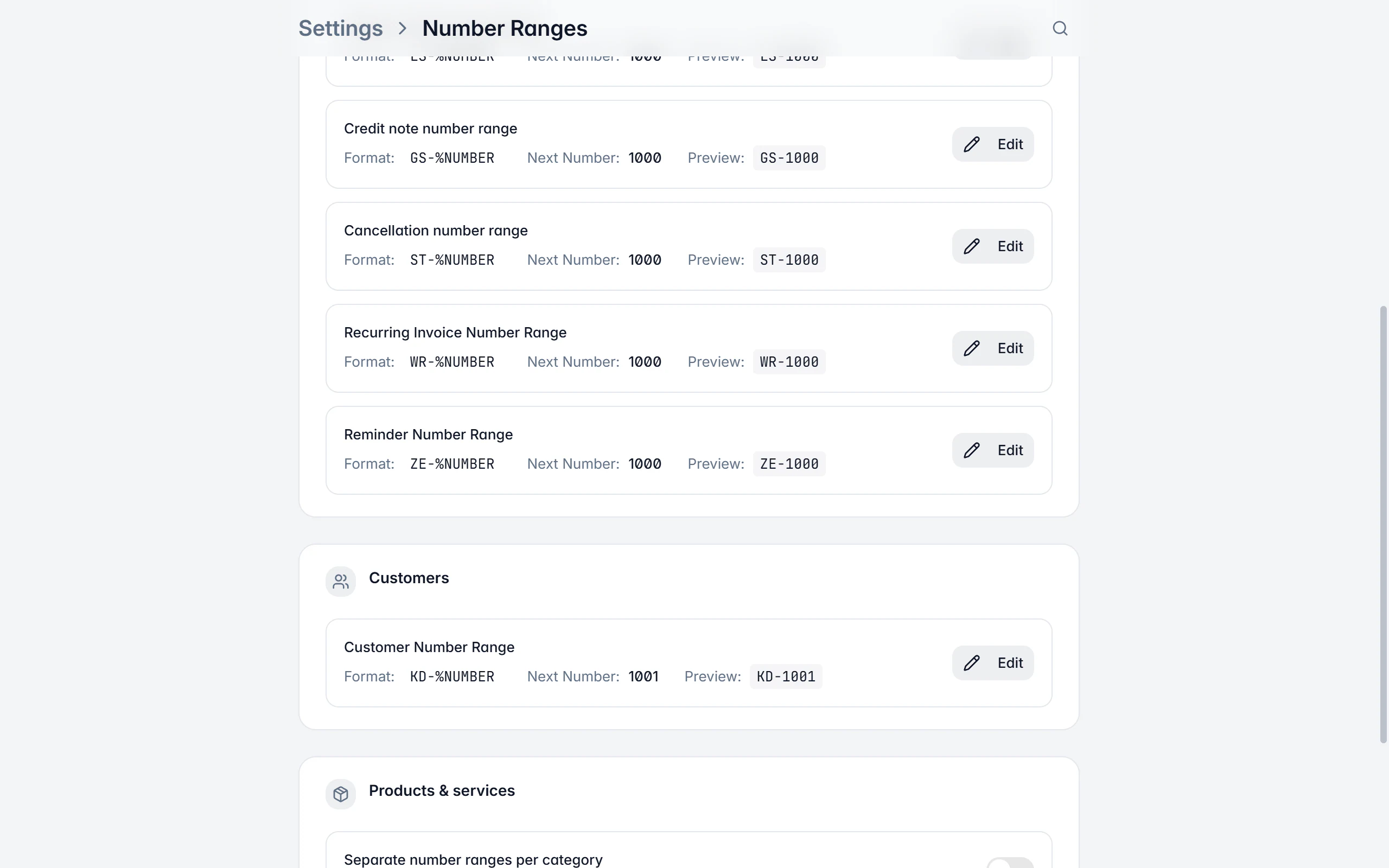
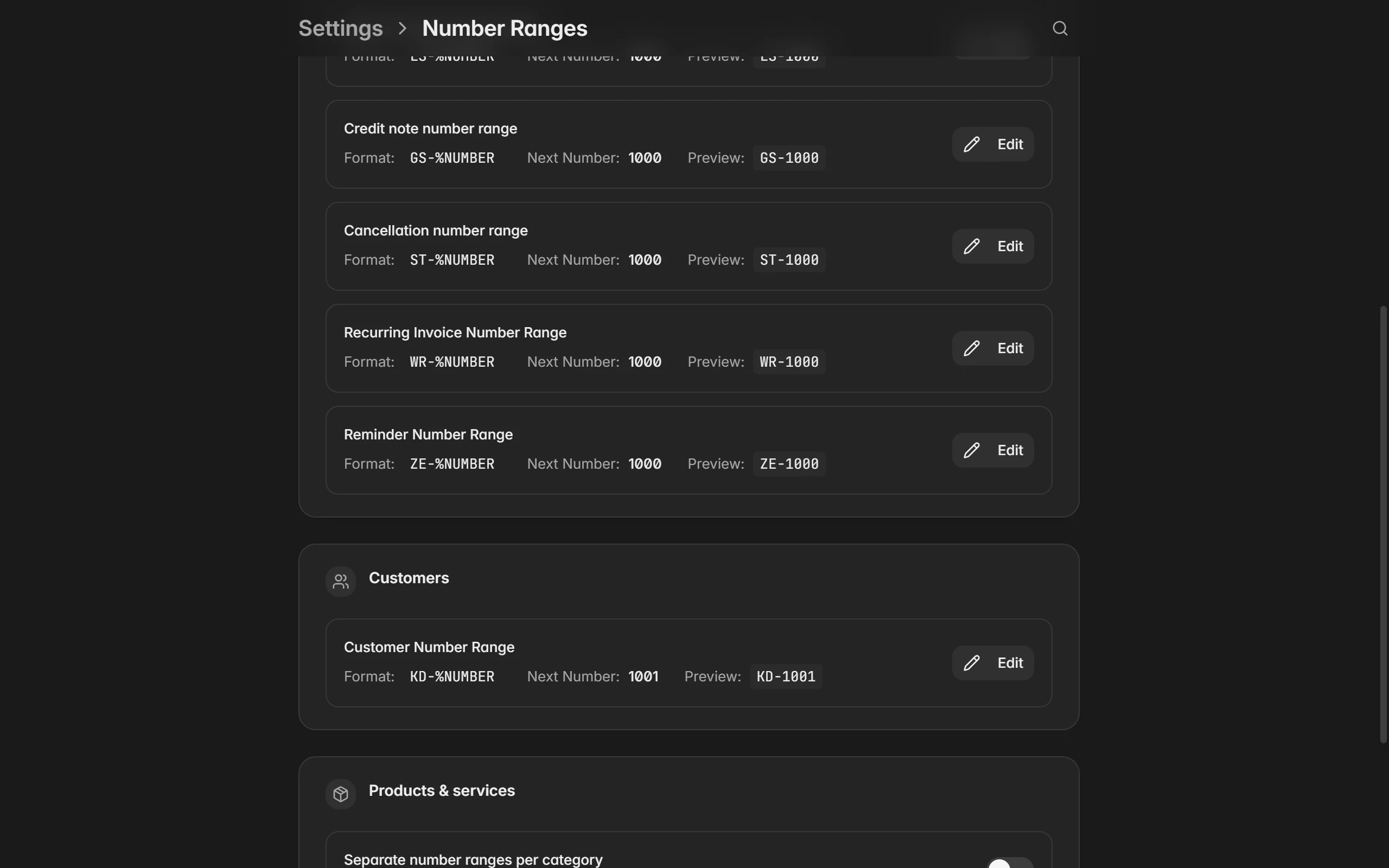
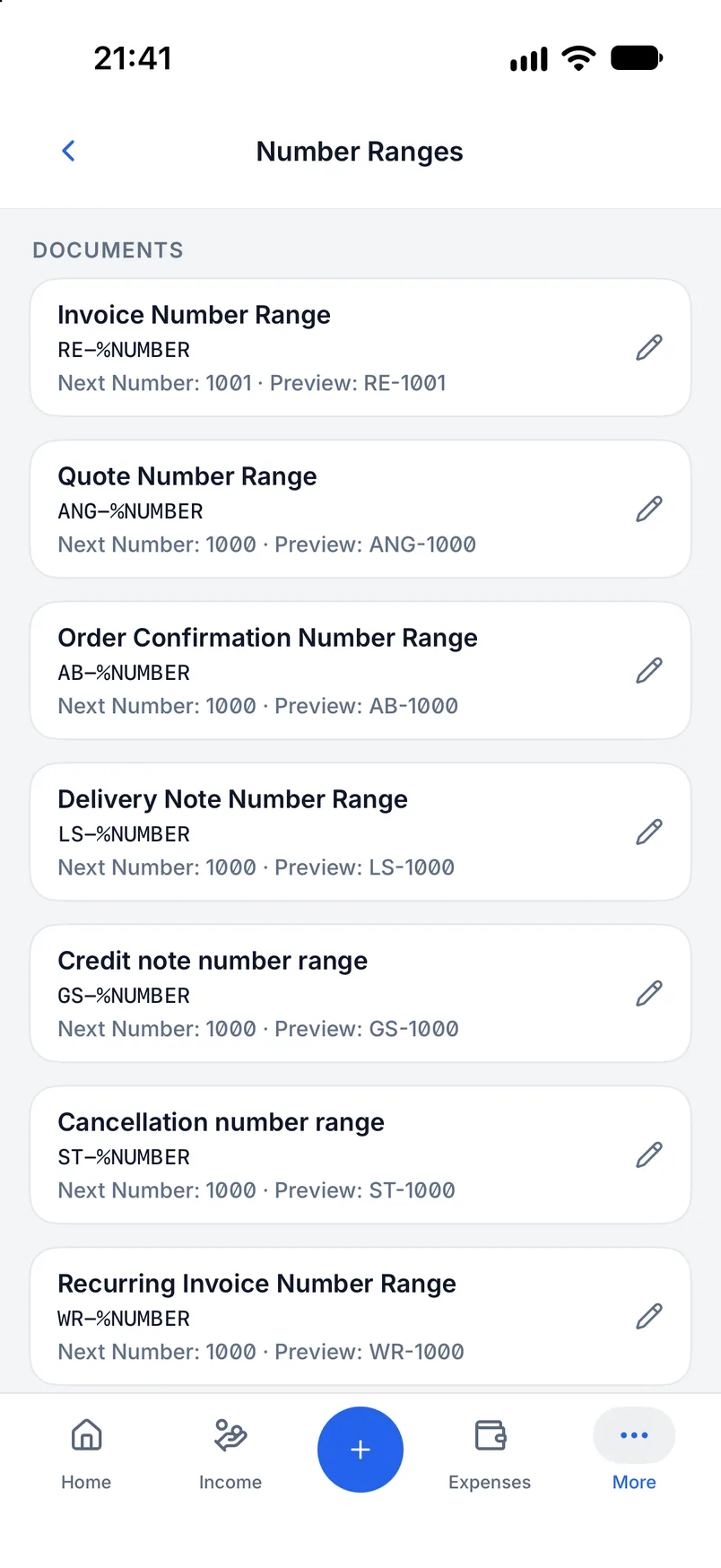
One range per document type
Invoice, quote, order confirmation, delivery note, credit note and cancellation, recurring invoice and reminder are counted separately.
Format with placeholders
Fixed text combined with placeholders for year or month and a fixed number of digits; a preview shows the next number right away.
Customer and article numbers
Contacts and products have number ranges too, and products can use a separate range per category.
Per company profile
Every company profile has its own number ranges so several businesses never collide.
Only move the next number forward when the numbers in between are certainly unused. Jumping backwards can create duplicates.
On desktop and in the app
All master data is available on both platforms and synchronised through the same data format.
In the desktop app
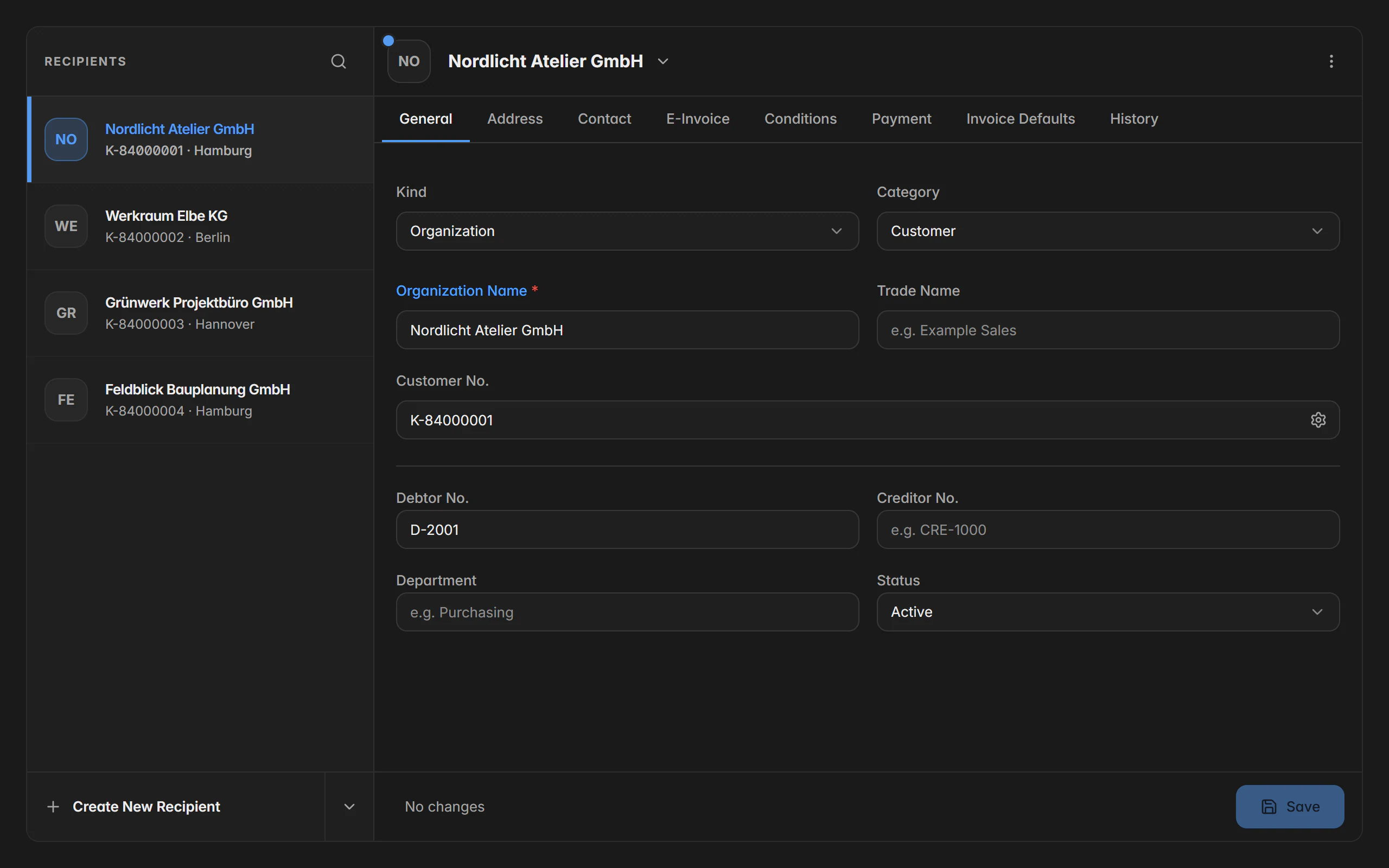
The contacts page shows the list on the left and the detail form on the right; from a recipient’s actions you start a new invoice directly. The product catalogue puts categories as cards above the table, with import and export in the action menu. Under My company you edit general details, addresses, contacts, tax and finance, payment methods and the history.
In the mobile app
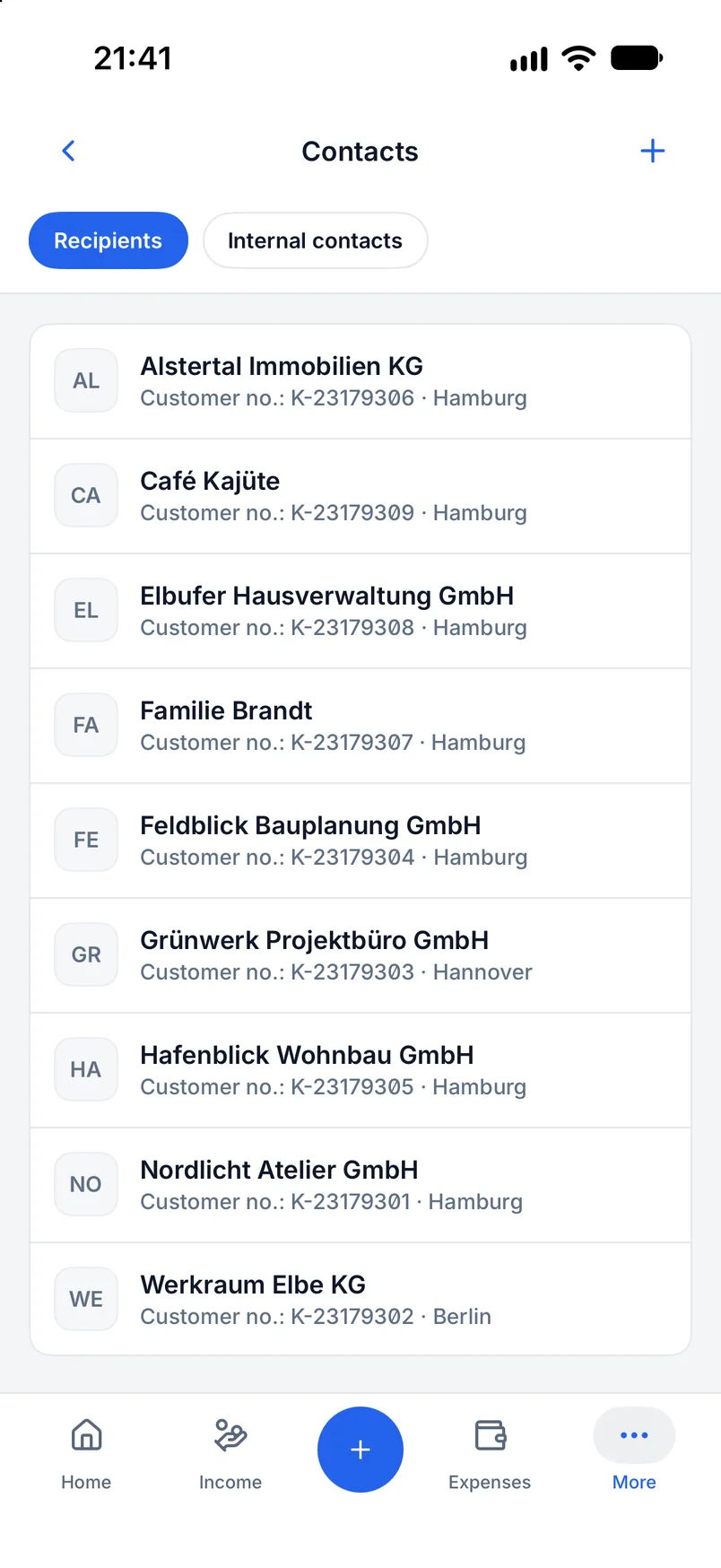
In the app you first choose recipients or internal contacts in Contacts and tap an entry for the full editor; for recipients you can additionally import from the system address book. The product catalogue is reached from the more menu, the company profile from the company card with focused subpages for e-invoicing, tax, contact and bank details.
Free or Premium
On the free plan
One company profile, up to three recipients and one internal contact are fully usable; products can be created and used in documents.
With Billance Premium
Premium removes the limits on recipients and internal contacts and unlocks further company profiles, custom product categories, custom units, and import and export.
Existing entries stay saved after a downgrade and are never deleted.
Frequently asked questions about master data
Yes. Every company profile has its own documents, recipients, products, templates, number ranges and settings, and switching profile reloads all of it. One profile is included on the free plan, further ones are Premium.
Read on
Step by step in the help centre
The help articles walk through the same workflow as step-by-step instructions, including all fields, buttons and special cases.
Ready for e‑invoices?
Start with Billance and create your first e-invoices in just a few minutes.