Accounting
VAT overview
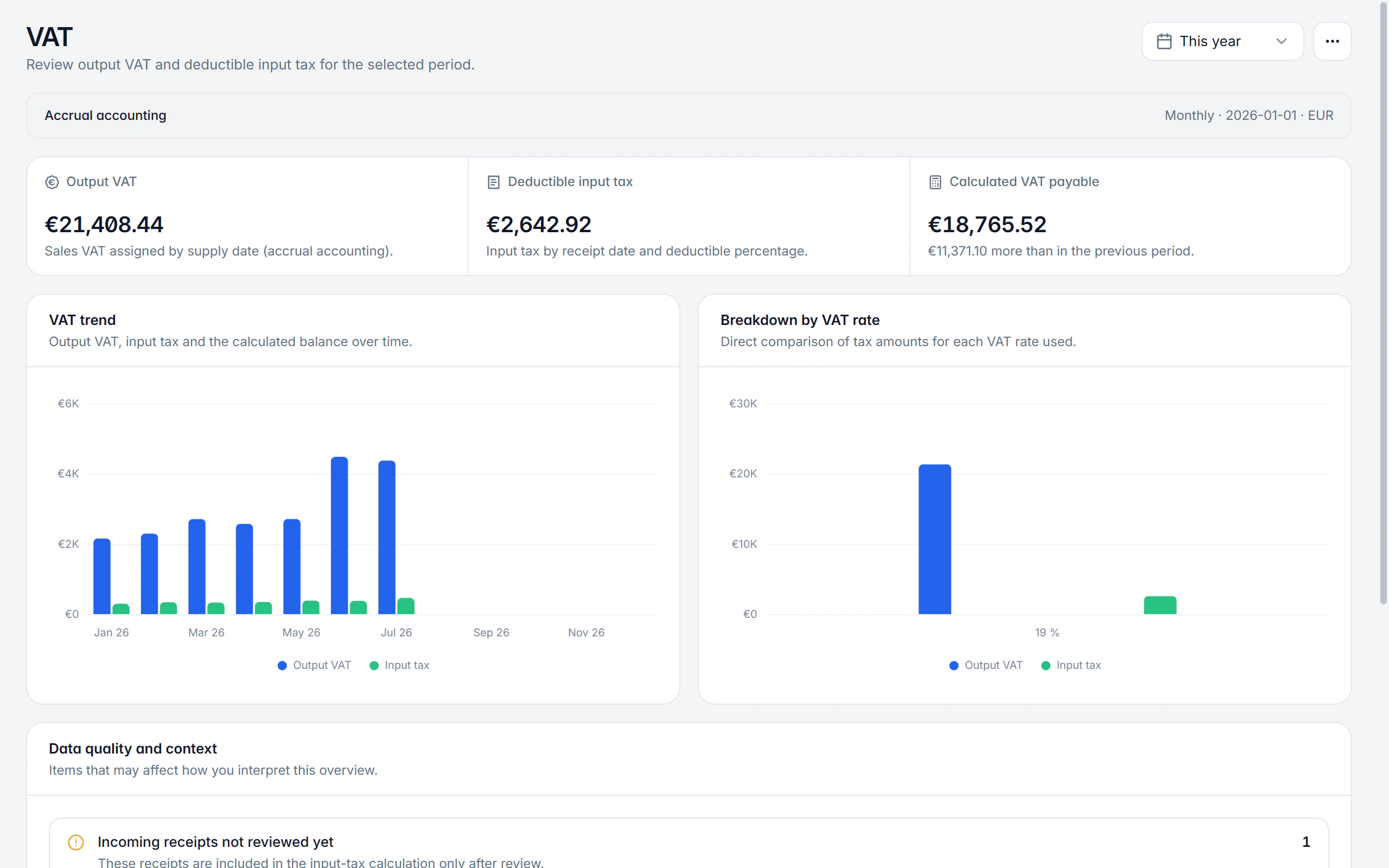
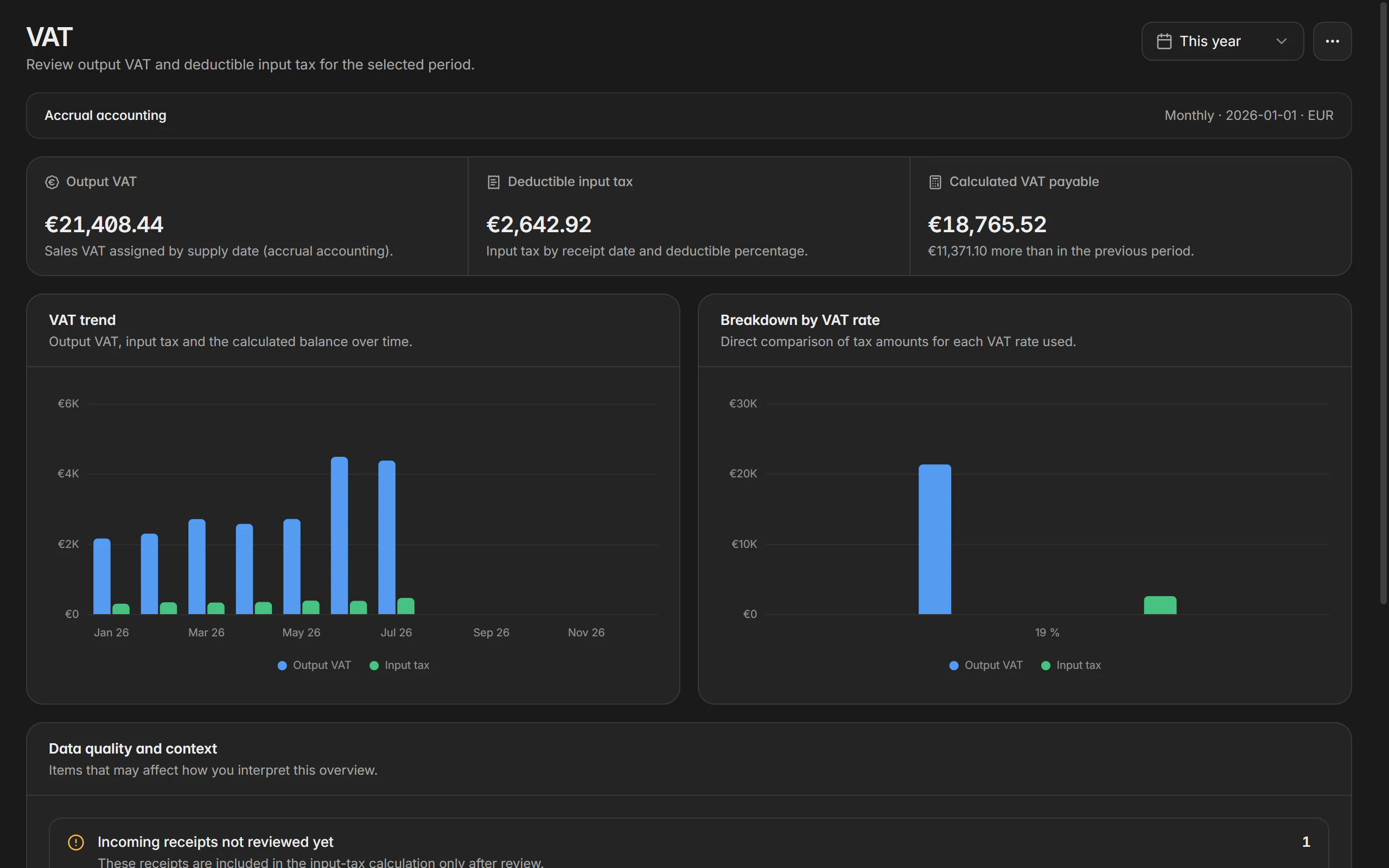
How much VAT came in during this period, how much input tax stands against it, and what is left arithmetically? Billance answers that from your own documents and receipts, under the rules you stored for your company profile.
At a glance
- Accounting method
- Accrual or cash basis
- Period
- Monthly, quarterly or exempt
- Special cases
- Reverse charge, intra-community, import
- Plan
- Premium
What the VAT overview calculates
Before Billance shows an amount payable, you set up VAT for the active company profile: VAT status (standard taxation or the small business rule under § 19 UStG), the accounting method (accrual, or cash accounting where the tax office has permitted it), the date from which the rule applies, how input tax deduction is handled, the reporting period and, where it is in force, the permanent filing extension. These settings are stored per profile and synchronised across your devices.
The accounting method decides when a transaction counts. Accrual accounting assigns output VAT to the time of supply; prepayments received earlier are assigned to the day they were paid. With cash accounting set up, the recorded incoming payments are decisive instead.
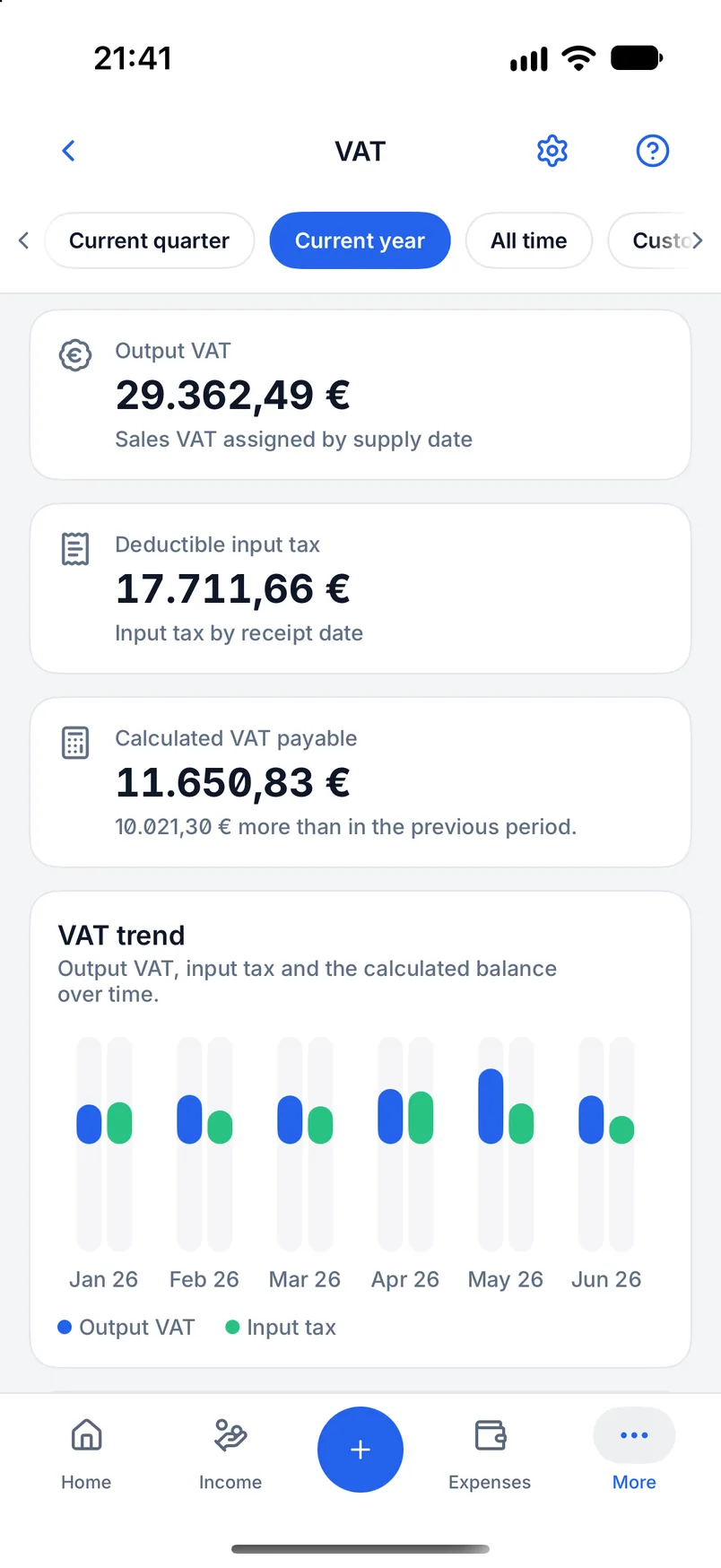
The page shows output VAT, deductible input tax and the calculated difference; a negative result appears as a calculated surplus. Detail cards break down the standard rates and keep reverse charge, intra-community transactions and imports separate. For small businesses Billance calculates neither regular output VAT nor an input tax deduction. Special tax cases can still trigger reporting obligations.
Setting VAT up
Choose status and method
Standard taxation or the small business rule, accrual or cash accounting, plus the date from which the chosen rule applies.
Define input tax deduction
Either by the share stored on the receipt or without an input tax deduction. The share per receipt comes from the category and the receipt data.
Set the reporting period
Monthly, quarterly or exempt; the permanent filing extension is only enabled when it is actually in force.
Evaluate the period
Billance adds up output VAT and input tax for the selected period and shows the calculated amount payable.
Work through the hints
Missing tax breakdowns, foreign-currency receipts and other anomalies are named so you can correct them at the source.
What the overview does
Output VAT and input tax
Both sides sit side by side, plus the calculated difference. A negative result appears as a calculated surplus.
Accrual and cash accounting
The chosen method decides whether the time of supply or the incoming payment counts; prepayments are assigned to the day they were paid.
Small business rule
Under § 19 UStG Billance calculates no regular output VAT and no input tax deduction but still reports special tax cases.
Special cases kept apart
Reverse charge, intra-community transactions and imports are broken out into their own detail cards instead of being mixed into the standard rates.
Valid-from date
Rules apply from a date. Periods before the stored start are flagged as a hint rather than quietly miscalculated.
Data quality hints
Missing tax breakdowns, a restricted input tax deduction and VAT shown despite small business status are all named.
Foreign currency handled separately
A German VAT liability is shown in euros only; foreign-currency receipts are never added nominally and are excluded without a documented statutory conversion.
Per profile and synchronised
The settings belong to the company profile and are synchronised across your devices.
On desktop and in the app
The overview exists on both platforms and works from the same data.
In the desktop app
In the desktop app it sits under Accounting → VAT. On first opening, a wizard walks through the setup; later you open the settings from the sidebar and control the period and archived entries through the reporting options.
In the mobile app
In the app you reach VAT through the accounting area. On first opening, the native setup appears; later you edit the settings from the gear icon. The layout adapts to phone, tablet and split views.
Free or Premium
On the free plan
The VAT overview evaluates the receipts and documents of the expense module and is therefore not part of the free plan.
With Billance Premium
With Premium you get the setup, the period evaluation, the detail cards and the data quality hints.
The page is a supporting calculation from the data captured in Billance. It is not a VAT return and not tax advice.
Frequently asked questions about the VAT overview
No. The overview is a supporting calculation from the data captured in Billance. It replaces neither the filing nor a review by your tax adviser, especially for special cases, invoice corrections and foreign currencies.
Read on
Step by step in the help centre
The help articles walk through the same workflow as step-by-step instructions, including all fields, buttons and special cases.
Ready for e‑invoices?
Start with Billance and create your first e-invoices in just a few minutes.