Reporting
Dashboard and reports
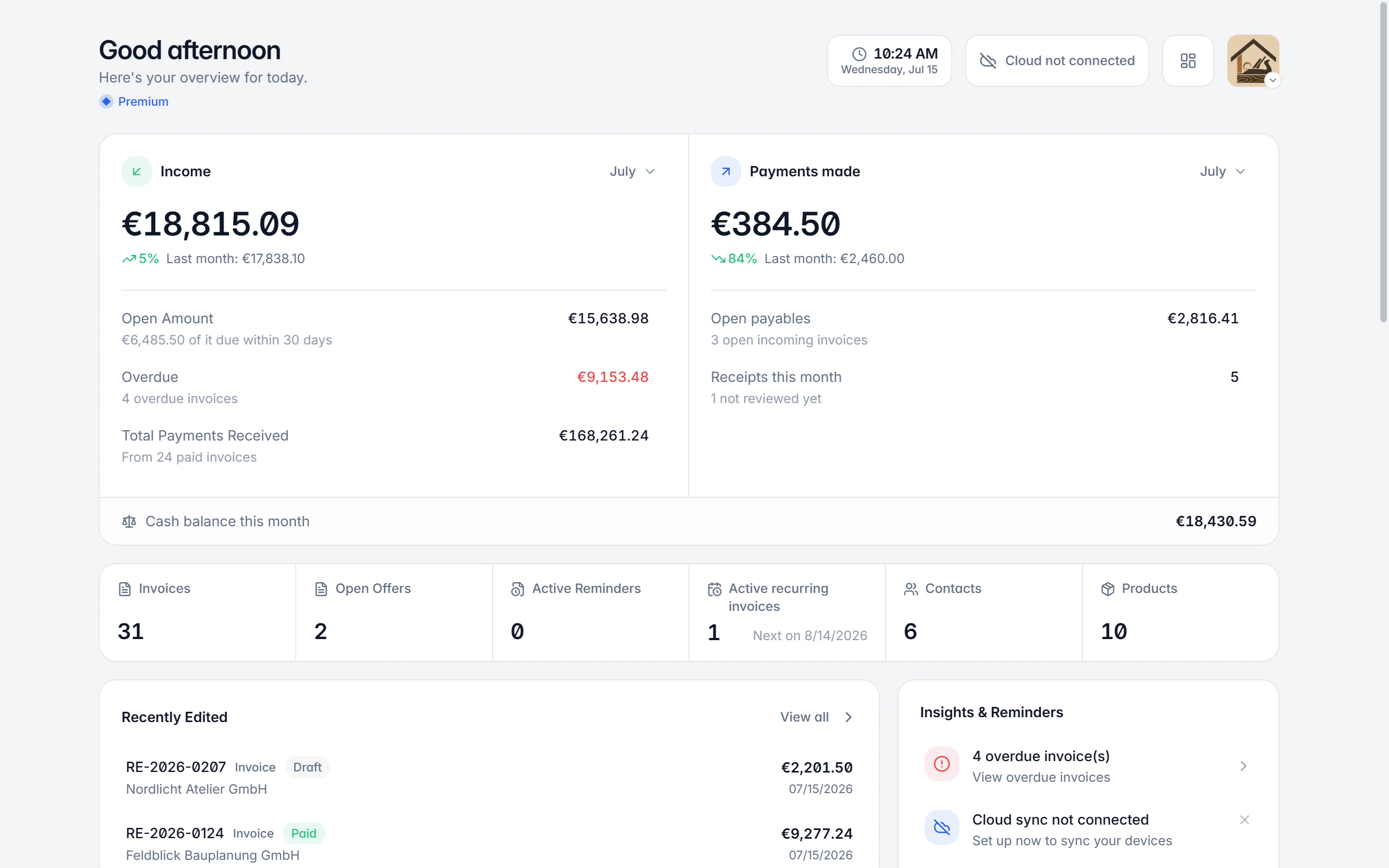
The home screen shows where the business stands right now and what needs doing today. Balance, receivables, payables, tasks and key figures sit on one page, for the active company profile.
At a glance
- Scope
- Per company profile
- Period
- Monthly comparison, freely selectable
- Customisable
- Show and hide sections
- Currency
- Foreign currency converted
What the home screen shows
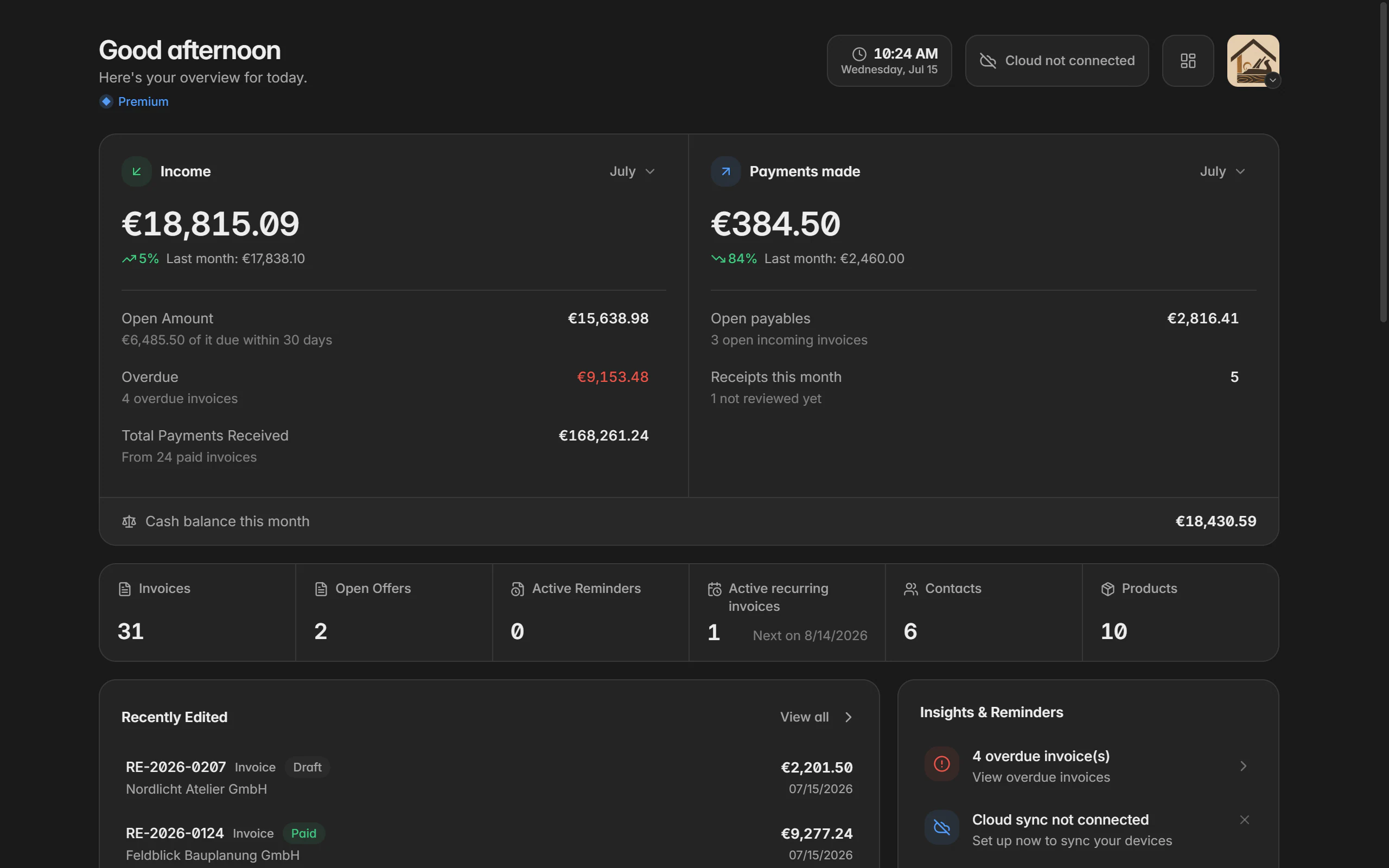
At the top sits the balance of the month with income, payouts and the comparison to the previous month. Beside it are the receivables with the total open amount and the overdue share, and “to pay” with the open liabilities from your receipts. Together these three figures say more about the month than any single invoice.
Below that is what needs doing now: overdue invoices, unreviewed receipts and receipts without a category. Then come the figures: revenue of the month, incoming payments, open quotes, active reminders and running recurring series. Below that are the most recently edited documents for getting back into yesterday’s work.
All values refer to the currently selected company profile. Drafts do not count as revenue, only finalized documents do. The payment status of an invoice decides whether it counts as open or paid. Invoices in a foreign currency are converted into your main currency for reporting so totals stay comparable.
Using the reports
Check the company profile
Every figure comes from the documents and receipts of one profile. Without an active profile the home screen shows the way to My company instead.
Pick the month
The monthly comparison can be switched to another month to put trends and outliers into context.
Work through the tasks
Overdue invoices, unreviewed receipts and receipts without a category lead straight to the filtered list where they get handled.
Adjust the layout
Sections can be shown, hidden and reordered so exactly the figures that matter to you sit at the top.
Go deeper
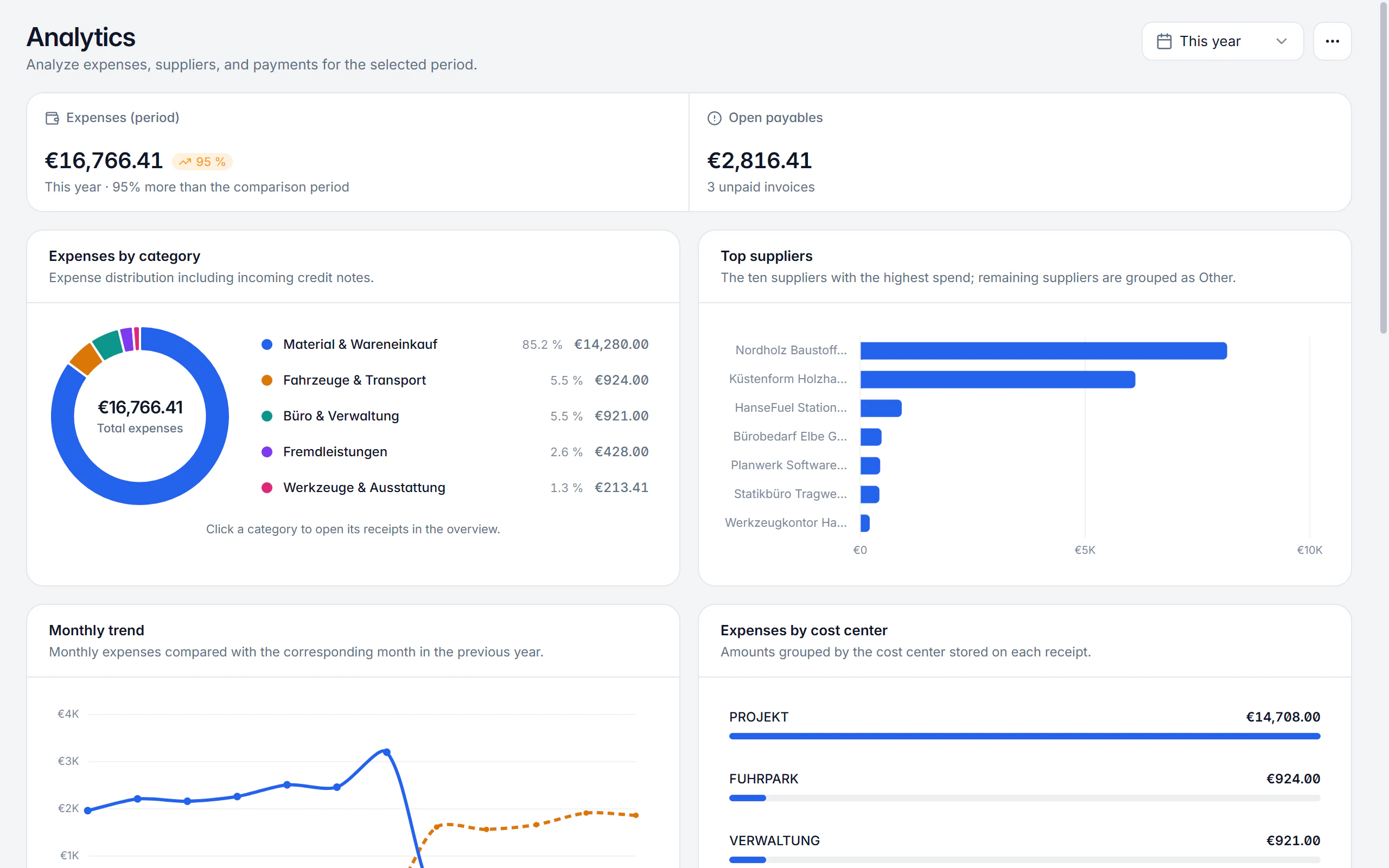
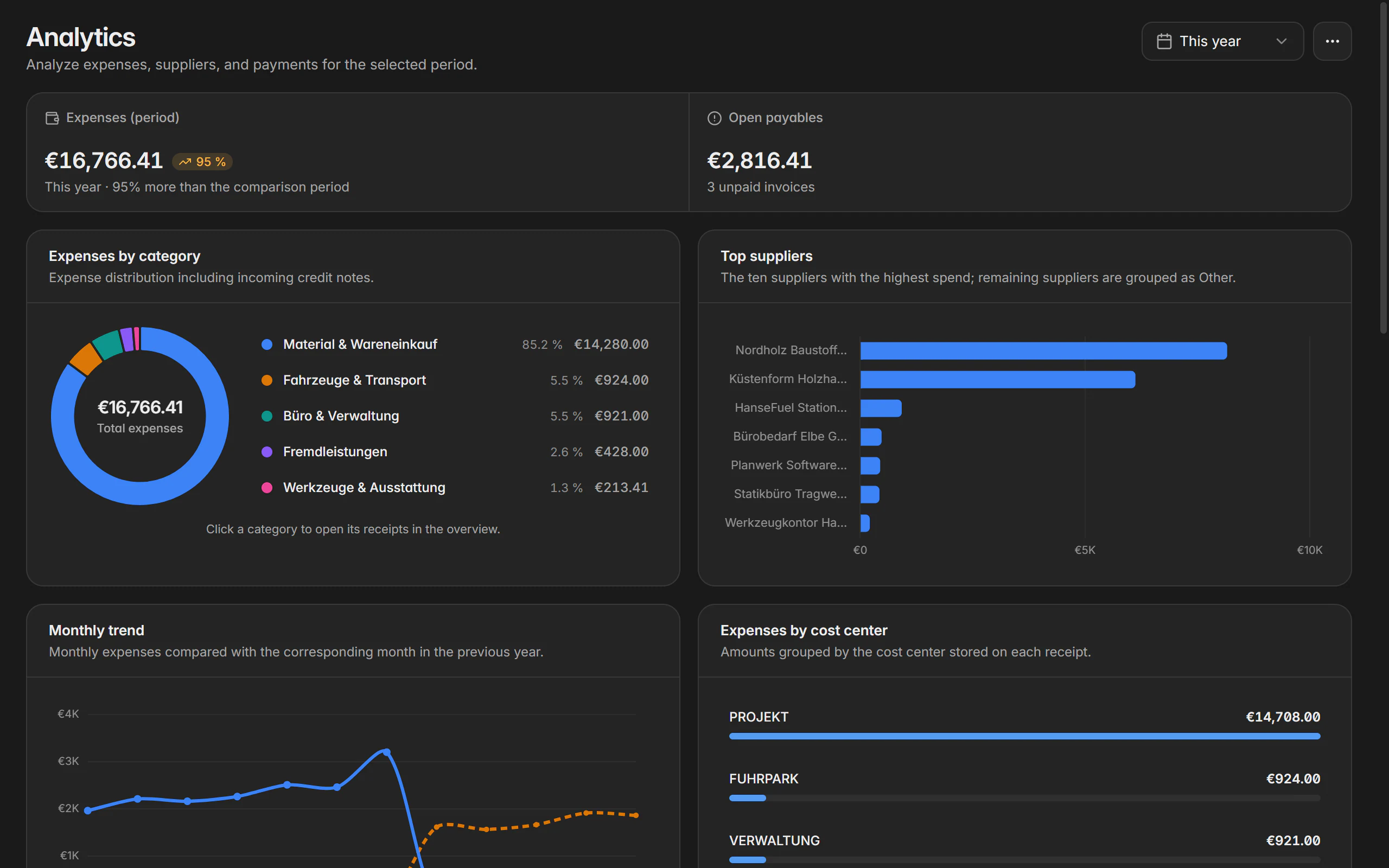
The expense side has its own report with categories, suppliers, payment behaviour and input tax.
What the dashboard and reports show
Balance of the month
Income, payouts and the change against the previous month, summed up in one figure.
Receivables with overdue share
The total open amount and the part of it already overdue. Your next call or reminder starts from there.
To pay
The open liabilities from your supplier invoices, with a direct route into the filtered receipt list.
To do
Overdue invoices, unreviewed receipts and receipts without a category sit as a task list where they cannot be overlooked.
Figures of the month
Revenue, incoming payments, open quotes, active reminders and running recurring series at a glance.
Recently edited
The most recently opened documents lead back into yesterday’s work without searching.
Expense report
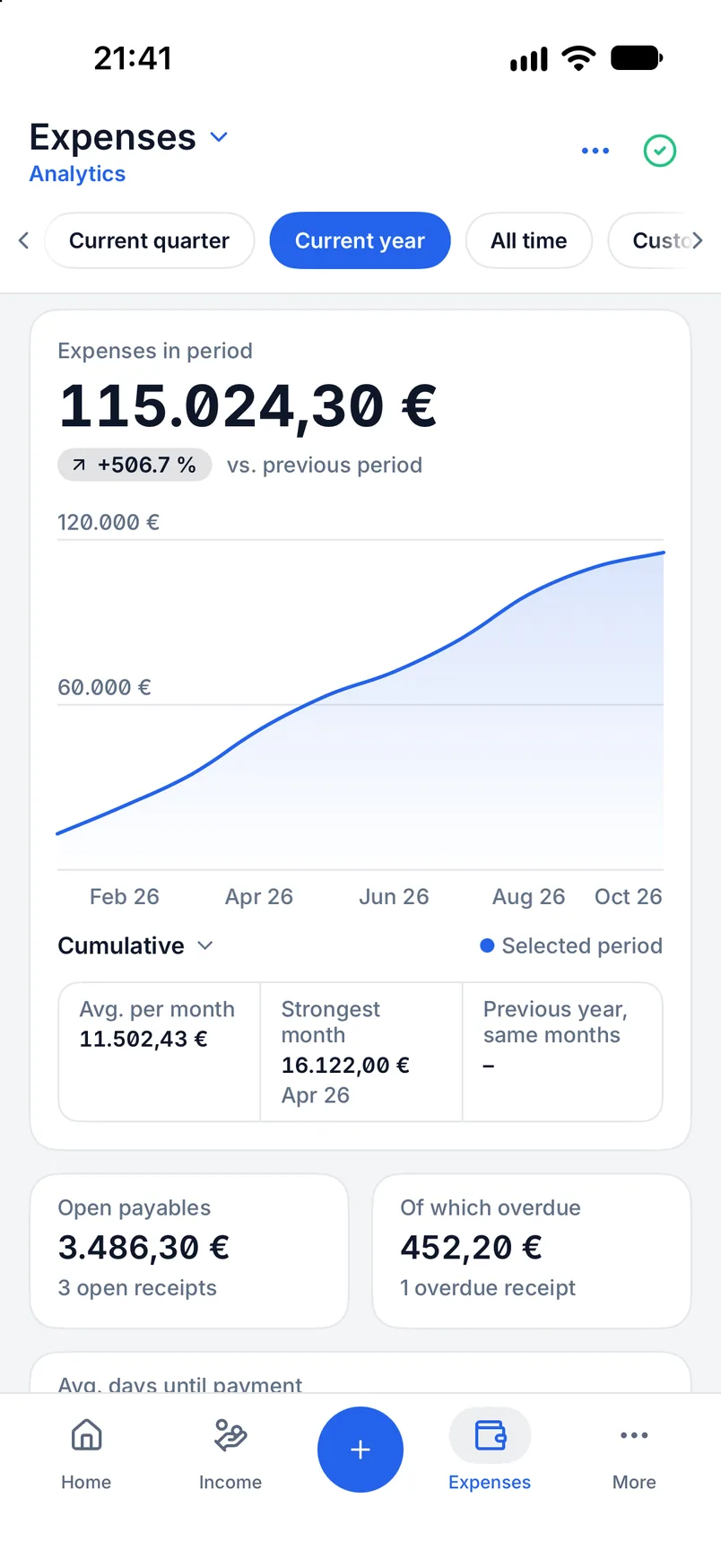
A dedicated area summarises receipts by period: categories, suppliers, payment behaviour, deductible input tax and a supporting VAT overview.
Period and comparison
Month, quarter, year or a custom period; where a meaningful comparison period exists, Billance shows the change.
Currencies kept apart
Different currencies are shown separately rather than mixed into a misleading total.
On desktop and in the app
Both applications work from the same data; only the arrangement follows the screen.
In the desktop app
The menu in the home screen header shows, hides and reorders individual sections. The choice applies per device, so a second machine may be arranged differently.
In the mobile app
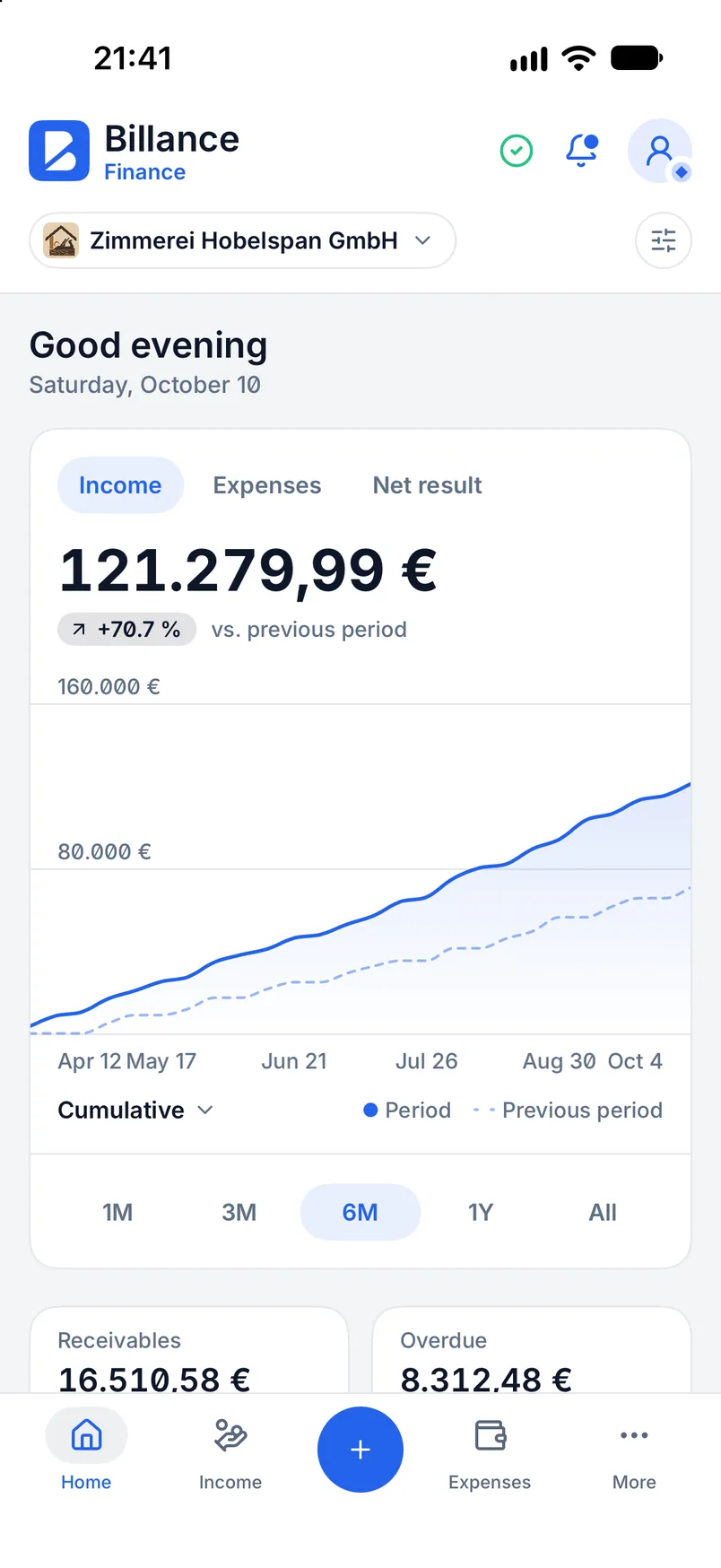
In the app the home screen is the first area of the bottom navigation. The blocks are ordered for small screens: figures first, then reports, then edited documents. Pull down to refresh.
Free or Premium
On the free plan
The home screen with balance, receivables and recently edited documents is available as far as the underlying data can be created on the free plan.
With Billance Premium
The expense report and the figures built on it are part of the Premium scope of the expense module.
Reports are a working aid and replace neither bookkeeping nor tax advice.
Frequently asked questions about the dashboard
Figures come from the documents and receipts of a company profile. As long as no profile is created or selected, the home screen shows a note with the way to My company instead of numbers.
Read on
Step by step in the help centre
The help articles walk through the same workflow as step-by-step instructions, including all fields, buttons and special cases.
Ready for e‑invoices?
Start with Billance and create your first e-invoices in just a few minutes.