Data & security
Cloud synchronisation and backup
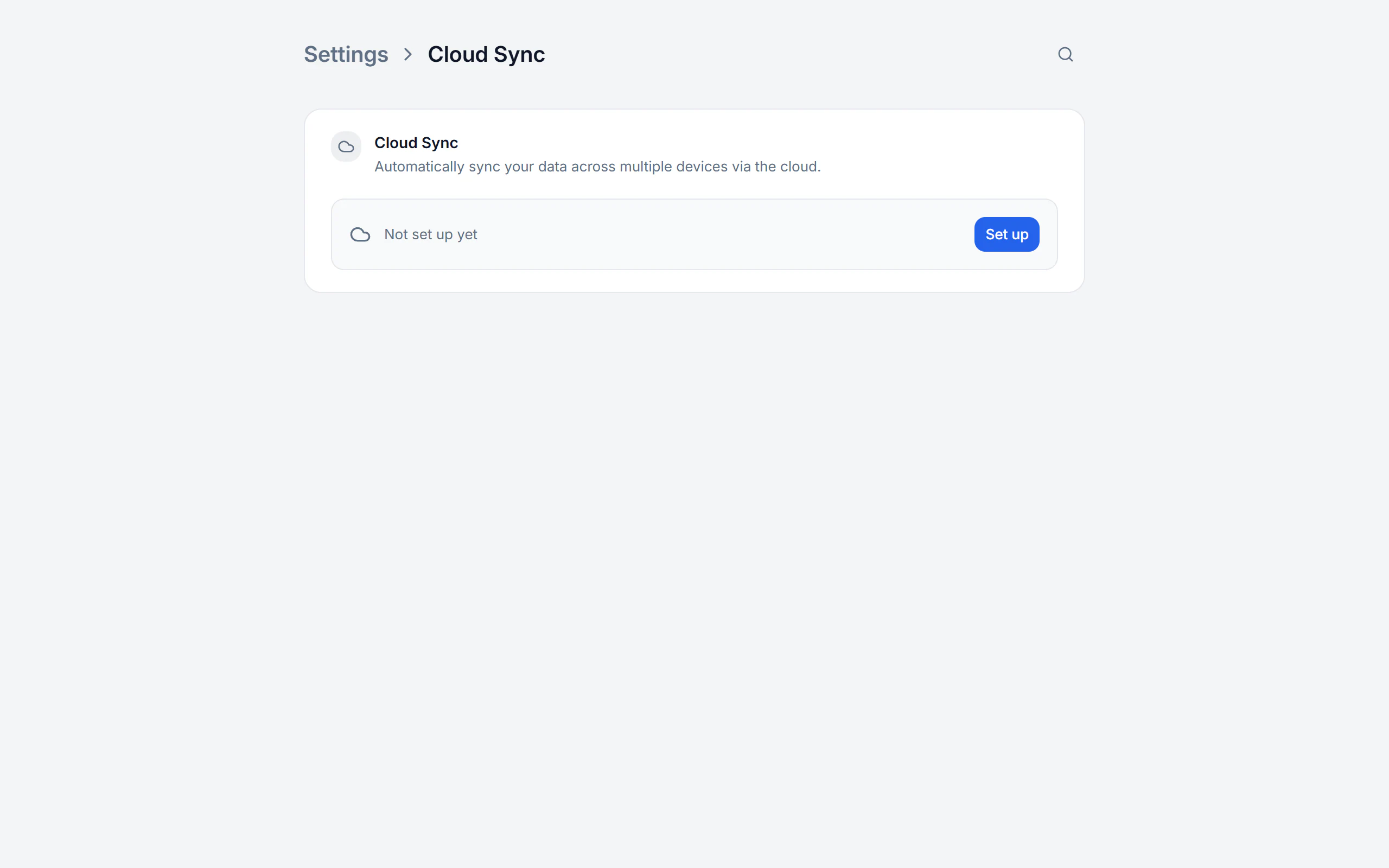
Billance stores your working data locally on your device. If you need it on a second device, you set up encrypted cloud synchronisation through your own storage provider — and to protect it from loss, you add backups.
At a glance
- Providers
- iCloud, OneDrive, Google Drive, Dropbox, WebDAV
- Encryption
- End to end, the provider sees no business data
- Backup
- Encrypted .billance file
- Plan
- Premium
Local-first, and still on several devices
Your documents, receipts and master data are stored encrypted on your device — not on a Billance server. Cloud synchronisation does not change that in principle: it transfers selected data areas encrypted through your own storage provider, and the provider gets no readable view of the business data.
Which areas travel is up to you: company profiles, internal contacts, recipients, products, documents, receipts, recurring expenses, templates, profile settings and payment accounts. Original receipt files have their own sub-switch, and the selection applies per device.
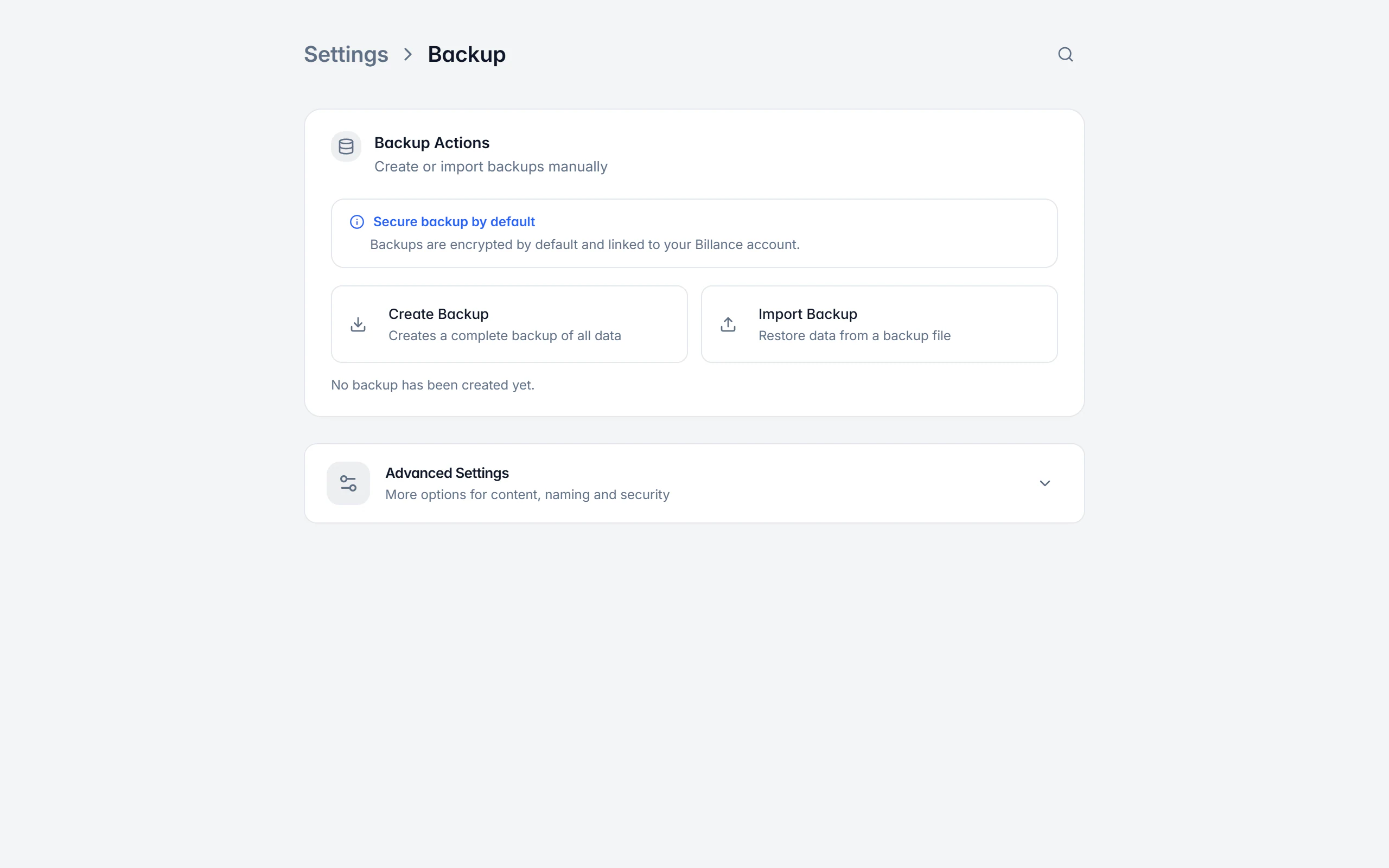
Backups are the second, independent layer. A .billance file holds the local database with company profiles, recipients, internal contacts, products, documents and templates; generated PDF and XML files as well as local app settings can be included optionally. By default a backup is encrypted and tied to your Billance account — a transferable backup is deliberately less restrictive and therefore a Premium feature of its own.
Setting up sync and backup
Choose the data areas
Decide what should be synchronised at all — from company profiles through documents to the original files of your receipts.
Connect a provider
iCloud, OneDrive, Google Drive, Dropbox or WebDAV; for WebDAV you enter server URL, user name, password and optionally a root path.
Settle the direction
If cloud data already exists, you choose between merge, replace local and replace cloud. Check the direction carefully and back up important data first.
Configure the automation
Auto sync, interval, sync on start and mobile data use are configured per device; the desktop app can additionally sync before quitting.
Schedule backups
Create a manual backup at any time and add a daily, weekly or hourly schedule with retention count and maximum age.
What sync and backup do
Your storage, not ours
Synchronisation runs through your own cloud provider; Billance operates no data store for it.
Encrypted in transit
The transfer is encrypted, and the provider gets no readable view of the business data.
Data areas chosen individually
Every area can be enabled separately; original receipt files have their own switch on top.
Conflicts resolved deliberately
On first connection you choose between merge, replace local and replace cloud — nothing happens silently.
Storage overview
Overviews show usage by profile and data type; individual cloud areas can be deleted and disabled on the device.
Disconnect without data loss
When the connection is removed, the local data stays fully intact.
Automatic backups
A daily, weekly or hourly schedule with retention count, maximum age and file name pattern; a missed run is caught up.
Transferable backups
A transferable backup is not tied to an account — useful when changing devices, and therefore a Premium feature of its own.
Restore with a preview
Before restoring you see the account, security mode, contents and a preview, and you select optional documents and app settings.
What happens without internet and without Premium
Because Billance is local-first, the cloud connection is an addition and never a precondition for working.
Keep working offline
The local app stays fully usable; pending changes are synchronised later.
After an expiry
When Premium expires the connection stays stored and the sync is paused; a later upgrade can reuse the same configuration.
Backup schedules are kept
Automatic runs pause after a downgrade, but the configuration is preserved and takes effect again after a reactivation.
Appearance stays per device
Theme, language and display size belong to the device and are deliberately not distributed through the cloud.
Folders, archive and trash are organisation, not a backup — only a real backup protects against a device failure.
On desktop and in the app
Both applications connect to the same providers and share the same data format.
In the desktop app
In the desktop app, provider, status, schedule, contents, storage overview and the dangerous actions sit on one settings page. For automatic backups you can additionally pick a target folder — a second drive or a reliably synchronised folder protects better than the system drive.
In the mobile app
In the app the main page shows provider, status, last synchronisation, Sync now and auto sync; contents, sync on start, mobile data, storage and deletion actions live under the advanced settings. Automatic backups sit in the protected local app container, and manual backups are exported through the device’s file dialog.
Free or Premium
On the free plan
A manual backup tied to your account is part of the basics — so your data is never without a safety line.
With Billance Premium
Cloud synchronisation, scheduled automatic backups and transferable backups are Premium features.
After a downgrade the connection and schedules stay stored; only the automatic runs pause.
Frequently asked questions about sync and backup
No. Your working data is stored encrypted on your device. Cloud synchronisation transfers the selected areas encrypted through your own storage provider — iCloud, OneDrive, Google Drive, Dropbox or WebDAV.
Read on
Step by step in the help centre
The help articles walk through the same workflow as an instruction – every field, every button, every special case.
Ready for e‑invoices?
Start with Billance and create your first e-invoices in just a few minutes.